
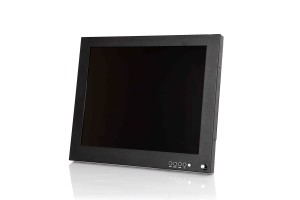
When it comes to choosing the right panel type of your LCD monitor, the options are seemingly endless. We’ve discussed the differences between AMOLED and LCD displays as well as the different types of touchscreen monitors that are commonly used for various devices and their benefits. Now it’s time to learn about the different features and specifications of PLS and IPS panels so you can decide which one is the most suitable choice for your specific personal or professional applications.
What Is a PLS Panel?
PLS stands for plane to line switching. Also referred to as Super PLS Panel, this technology boasts superior technological advancements such as a multitude of brightness setting options, crystal-clear image quality, and adjustable viewing angles without breaking the bank.
What Is an IPS Panel?
IPS stands for in-plane switching. It’s one of the most commonly used monitors for LCD displays and it consists of two glass panels that hold a layer of liquid crystals in between them. The liquid crystals become animated and perform predetermined actions such as moving in a specific direction or displaying certain colours when they’re charged with an electric current. These actions result in the high-quality images that appear on your television, laptop, or smartphone screen.
How Do IPS and PLS Panels Work?
Both LCD monitor panel types have their advantages and disadvantages for various types of applications. Finding out how they work will help you determine which one is the best choice for your needs.
IPS for LCD Monitors
As mentioned, IPS LCD monitors contain hundreds of liquid crystals that are situated between two glass sheets in a parallel formation. As electric currents run through the liquid crystals when the screen is turned on, they become animated and move in different directions and backlighting passes through them. This is what produces the crystal-clear and instantaneous images you see on the screen. The excellent viewing angles are the result of the horizontal movements of the liquid crystals inside the panel.
PLS Panels for LCD Monitors
PLS panels for LCD monitors have been on the market for over a decade and have proven to be a worthy adversary for their IPS predecessors. Although the technology is the same for the most part, IPS does offer some minor improvements. The main difference is that IPS panels offer more optimized liquid molecular alignment, which makes for a slightly better viewing experience. Hence, PLS screens offer 15% more brightness than IPS panel types.
From an aesthetic and logistical standpoint, PLS panel types are also thinner than IPS due to the fact that the glass sheets that hold the liquid crystals in place are positioned much lower in the screen configuration.
What are the Differences between IPS and PLS LCD Monitor Panel Types?
When it comes to comparing and contrasting the differences between IPS and PLS LCD monitor panel types, the competition is pretty stiff. Both monitors are fairly similar with the exception that PLS is meant to be an improvement on the previous technology. Here are the key factors that should be considered when deciding which one is the best monitor panel for LCD industrial displays.
Viewing Angles
PLS monitors offer superior viewing angles when compared to IPS displays. Unlike IPS displays, PLS monitors don’t have any noticeable colour distortions and they have significantly lower production costs.
Image Quality
Colour contrast and brightness is a central concern when purchasing a new commercial or industrial display. Whether you’re a gamer or graphic designer, your best option in this regard is to stick to IPS displays. They offer far more consistent image quality, colour contrast, and brightness that’s perfect for applications that rely heavily on high-quality image production.Â
Response Time
Unfortunately, PLS and IPS monitors both have a fairly slow response time (the amount of time it takes for liquid crystals to shift from one colour or shade to another). For this reason, neither one is the ideal choice for gaming purposes, but they’re both suitable for graphic design projects that focus more on colour distribution and accuracy than response time.
Colour Distribution
PLS panel types have been proven to have superior colour distribution and accuracy compared to IPS panel types. PLS displays have a far more expansive colour gamut that’s ideal for users who require the most natural-looking images and colour options.
Backlight Bleed
Backlight bleed occurs when the lights from the back of the screen leak through the edges, which results in uneven lighting or glow. This is a fairly common shortcoming of IPS screens when the brightness is adjusted to a particularly high level and can make for a poor viewing experience. PLS panel types don’t have this problem and offer even lighting regardless of the brightness settings.
Which One Is the Better Choice for LCD Monitors?
The answer is inconclusive. Both IPS and PLS monitor types certainly have their advantages. Although PLS is slightly better in terms of backlighting and faster response times, the margins for improvement are fairly tight. It really just depends on what your preferences are as well as the applications that the monitors are being used for.
Nauticomp Inc. is one of the leading manufacturers and distributors of sophisticated state-of-the-art LCD displays and monitors in North America. Contact us to learn about our various products or to place an order.
Â