
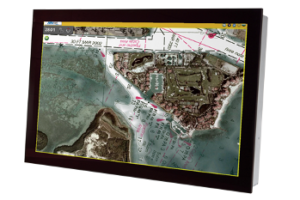
 There are many digital display options available today. Whether you require a display for your military operations or for your commercial building, it’s important to find the device that meets your unique performance requirements.
When looking for the right digital display, many people tend to focus on the size, screen brightness, and resolution; however, those are just a few factors you need to keep in mind.
One feature that is paramount to how your display will function is its interface. The display interface controls how your digital display exchanges information with peripheral devices, such as memory devices, workstations, and special equipment.
Here’s what you need to know about the different display interfaces and how you can find the right digital display technology for your needs.
Digital Display Technology
What exactly is a digital display and how does it work?
Essentially, all digital displays are made up of many rows and columns of pixels that are driven by a controller that transmits information to each pixel. This information controls the brightness and colour needed to make up the image on the screen.
Depending on the device, some pixels are light-emitting diodes (such as in LEDs), while others act as a shutter that let in light from a backlight.
The image information is stored in the memory array and the information is transmitted to the display through the display interface.
It is the job of the display interface to essentially communicate all information between various components (e.g. the memory array and the screen) and peripheral objects (e.g. a tablet and a memory storage device).
While all display interfaces function similarly, how they communicate information varies greatly from one interface to another.
Types of Display Interfaces
There are various display interfaces to choose from. Here are some of the advantages and disadvantages of popular display interfaces available on the market.
Serial Peripheral Interface (SPI)
Serial Peripheral Interface (SPI) is a synchronous serial communication interface, meaning it allows for data to be sent and received in both directions, on the same line. It’s best used for short distances for small, low-resolution displays such as small LCDs.
Other popular devices that utilize SPI include memory chips, data storage devices, sensors, microprocessors, and printers.
SPI allows the serial exchange of data between two devices by using a master, which controls various devices. Since each device has its own slave connection, the master can interface with multiple devices independently. Because of this, SPI requires numerous pins between devices since each slave attached to the master system needs an additional chip select I/O pin on the master.
One of the biggest benefits of this interface is that there is no protocol overhead, meaning the transmission can run at very high speeds—faster than I2C and other display interfaces. It is also rather easy to set up, has bandwidth capabilities of up to 10mb/second, simpler wiring compared to parallel interfaces, and longer cables.
Inter-Integrated Circuit (I2C)
Inter-Integrated Circuit, also known as I-squared (I2), uses a multi-master, multi-save, singe-ended serial computer bus system to connect to small, low-speed devices like micro-controllers, A/D and D/A converters, I/O interfaces, and other simple PC peripherals.
I2C has a bandwidth capability of up to 400 KB/second or 1 MB/second and allows for easy communication between components on the same circuit board.
Much like SPI, I2C only works for short distances, uses a synchronous serial port, and works well with smaller LCDs; however, it can also support up to 1008 slaves, has four pins, and only needs two wires, unlike SPI or other digital displays.
Some of the main benefits of I2C are that it consumes a low amount of energy and is resistant to noise. It can also handle usage in a broad range of temperatures and is easy to use/troubleshoot.
RGB (Red Green Blue)
RGB is used to interface with medium to large colour displays by sending 8 bits of data for each colour (Red, Green, and Blue). It can drive much larger displays at video frame rates of 60Hz and up.
RGB display interfaces have bandwidth capabilities of up to 1.2 GB/second. They also have a high performance and a low cost overall.
That said, RBG requires numerous pins (up to 29 pins for 8 bits of colour) and expensive connectors. There is also the possibility of the RBG causing electrical noise since it consists of fast edges on multiple wires, which could be a problem for systems that include wireless modules.
Low-Voltage Differential Signaling (LVDS)
A popular choice for large LCDs and peripherals that need high bandwidth, Low-Voltage Differential Signaling (LVDS) is used for displaying high-resolution graphics, high-speed videos, and video camera data transfers because of its fast data transmission and low voltage.
It has a bandwidth of up to 3.125 GB/second and it can operate with low power, yet still provide high speeds.
LVDS transmits little interference, which makes it great for systems that include wireless transmitters and require little noise disruptions. It works for larger displays that must operate in harsh environments and, due to its low heat dissipation, it has a longer battery life compared to other display interfaces.
The technology is commonly used for LCD TVs, industrial cameras, notebooks and tablets, printers, cellphones, and communication systems. It is also used often for commercial and military digital displays, as well aerospace applications.
Mobile Industry Processor Interface (MIPI)
Mobile Industry Processor Interface (MIPI) is a rather new technology that has gained popularity in recent years among mobile and wearable technology developers. Used primarily for cellphone displays, there are several versions of MIPI and it can be adapted to fit the needs of various industries such as PCs and other consumer applications.
MIPI provides a streamlined upgrade path from I2C and has a bandwidth of 6 GB/second.
Although it has a complex protocol and driver software, it also has both high-speed and low-speed power modes and can read back data from the display at lower rates.
Which Is the Best Display Technology for You?
Choosing the best display interface for your needs depends heavily on the type of application and the environment you plan to use it in.
There is no one-size-fits-all “best†digital display on the market. Each has it’s own advantages and disadvantages. When choosing the right interface for your business needs, consider the following factors:
- How much data do you need?
- How many colours do you need to display?
- What is your budget?
- How will it connect to your current electronics system?
Nauticomp Inc. is one of the leading experts in designing and manufacturing digital display technology that’s specifically designed to engage more customers on an industrywide basis. Retail, restaurant, gaming, Marine Corps, and military operations have all benefited from our high-end products. Contact us today to learn more!
 There are many benefits to a well-implemented digital signage campaign. Not only can it help you boost sales and increase brand awareness, but it can help you reach a broader audience. The key to successfully incorporating outdoor signage in your marketing efforts, however, it to know how to use the technology to your advantage.