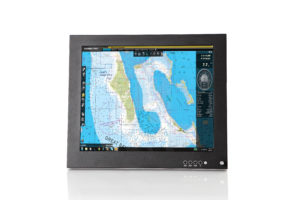

Digital Signage Systems: Useful Technological Features to Boost Your Business Practices

Posted on: December 12, 2019


Digital Signage SystemsDigital signage and displays have infiltrated the advertising industry and taken over pretty much every aspect of the market. Many public places including shopping malls, bus terminals, sports stadiums, and even community centres use digital displays to get various messages across to passersby and consumers. Whether they’re interactive touchscreens, static digital displays, or large full-scale videos, digital signage and advertising has the capability to elevate your business.

If you’re going to apply digital signage to your advertising campaign, you need to have a basic understanding of how it works. Keep reading to learn all about the inner workings of digital signage and display systems, so that you can aptly apply them to your business.

What Are the Components of Digital Signage?

Digital signage and displays are attention-grabbing and informative by design. Consumers are inevitably drawn to the bright lights, dynamic images, and the words on the screen. But there’s a lot of extra planning and forethought that goes into creating effective and affordable digital ad campaigns that are guaranteed to increase your return on investment. Anyone can slap together a heavily branded PowerPoint display that showcases your company logo and slogans. Utilizing the following essential components of digital signage, however, can really help put your marketing campaign over the top and make you a force to be reckoned with in your industry.

Uniquely Branded Content That Speaks to Your Audience

Installing state-of-the-art dynamic technology to advertise your brand is a great way to capture people’s attention. Once you’ve attracted people to your brand, you need to find ways of keeping them interested. Displaying informative and relevant content to consumers can help you achieve that goal. Content should be completely unique, timely, and speak to your target audience in a way that nothing they’ve ever seen before has.

The type of content that’s displayed in your digital signage should be memorable enough to become ingrained in the minds of consumers so that they’ll think of your brand in specific circumstances or when making product and service recommendations to people. Incorporating your brand sigil, signature colours, logo, and related slogans throughout the ad campaign will help set you apart from your competition.

Use a Digital Content Management System

One of the most important components that sets digital displays apart from their traditional static counterparts is the fact that advertisers now have greater control over the content they produce. Not only can you create, edit, and replace unique content for your brand, but you can also come up with an automated schedule for when the content is to be released to the public. A content management system (CMS) is a type of software that allows you to manage your content and schedule it so that it’s automatically delivered to playback devices which then relay the advertisements to strategically located digital displays.

You also have complete control over which specific digital displays will feature certain ads. To that end, you can create multiple versions of the same ad and alter them as needed according to the sensibilities of the regions in which the ads are being shown.

Digital Signage Media Players

Media players are the devices that are used to display the content or media you’ve created. Playback software stores the advertising content and then delivers it to various displays based on the settings you’ve implemented. You have the option of automating the content and scheduling it so that it appears on all of the digital screens you’ve installed or only a select number of them at different times.

This technology is particularly helpful for businesses that are poised to break into new markets either on a domestic or international basis. Media players can either be connected to your main wireless sharing network or a mainframe computer depending on your setup.

Digital Signage Hardware

The hardware consists of the individual digital displays themselves that are connected to each other and the main operating system through a wireless network. Hardware consists of the actual infrastructure that makes the whole advertising schema physically possible. Digital displays are usually made up of rugged LED, LCD, or flat screen monitors that are conveniently and strategically placed in areas that are within people’s natural eye line.

The goal is to make the screens as naturally visible as possible to attract more potential consumers over to them. Creating and installing dynamic interactive digital displays is an effective way to draw in large crowds. Seeing others interacting with a display and being able to play around with or alter the onscreen modules drums up a lot of curiosity from passersby. The more interactive your digital display is the more dynamic and unique the experience becomes for users.

In-Depth Detailed Infrastructure

Infrastructure essentially consists of all the behind-the-scenes manual and physical components that bring together a digital signage display. From network connections to wall mounts, and cables, infrastructure includes a wide range of peripheral devices that ultimately make the entire digital advertising experience come to life. Peripherals deliver the content directly from the main device or computer on which it’s stored directly to the individual digital display screens that are installed in various locations.

To ensure that the system works and everything goes off without a hitch, each component from the main computer right down to the most miniscule cable must be exactly in place and they all need to be in excellent working condition. But infrastructure can also be wireless. Social media, internet connections, Wi-Fi networks, live web pages, and live streams all count as digital infrastructure that allows for the accurate and timely delivery of relevant key brand messaging to consumers.

Nauticomp Inc. is one of the world’s most renowned and leading designers and manufacturers of state-of-the-art digital displays. We specialize in providing custom-designed digital signage systems and displays across a wide array of business sectors including restaurant and hospitality, medical facilities, gaming and entertainment, Marine Corps, and the military. To learn more about our products or to place an order, please contact us today!
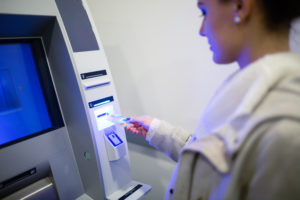
Digital Signage Solutions for Banks and Financial Institutions

Posted on: December 6, 2019

NauticompThere’s no denying that every industry in the modern world can stand to benefit from incorporating digital signage and displays in their day-to-day operations. Banks and financial institutions in particular can improve their overall employee and customer service experiences by simply investing in state-of-the-art digital displays. From high-end security and monitoring systems to increased digital efficiency, there are plenty of excellent uses digital displays in financial institutions.
Here are the top five digital signage solutions for banks and financial institutions:

More Attentive Employee Engagement

Positive and attentive employee engagement is a key player in the level and quality of customer service financial institutions are able to deliver. State-of-the-art digital signage and displays can help keep your employees well informed about any and all policy changes, account modifications, and new promotions that your bank is offering so that they can better serve your customers.

Improving Customer Engagement while They Wait

These days, going to the bank already feels like an inconvenient burden for many people. With the advent of online banking, most people tend to use the Internet or apps to electronically perform their banking tasks to avoid long wait times. But, for those few times when people do have to physically go to the bank to sort out issues with their accounts or fill out paperwork, they don’t want to feel like they’re waiting a long time for their turn. Installing strategically placed digital displays in waiting areas not only keeps customers entertained and distracts them from the fact that they’re waiting, but it also presents excellent marketing opportunities for financial institutions to advertise new products or programs.

Updated Informative Bank Info Boards

Much like digital menu boards at fast food restaurants, digital signage plays a pivotal role in relaying important information to banking customers. Through the use of high-tech dynamic digital displays, it’s easier than ever for financial institutions to keep their customers well informed about necessary banking information at minimal cost.

Increased Brand Recognition

Through strategic marketing, financial institutions can use digital signage and displays both inside and outside their establishments to help build or strengthen brand recognition. This is a crucial tool for new or small scale banks that need to build up their clientele. Creating catchy taglines and easily recognizable logos are a great way to make your institution stand out in the minds of your customers while also spreading your brand message.

Dynamic Emergency Response Tools

Emergencies like natural disasters, inclement weather conditions, break-ins, and holdups can happen unexpectedly. Digital displays keep your employees and customers informed of unfolding situations while also providing useful safety tips and weather warnings so that they can stay up to date with the necessary information.

Nauticomp Inc. designs and manufactures state-of-the-art digital displays that are custom-tailored to the needs of each industry and business. Our high-end displays are equipped with a range of unique features like infrared lighting, sunlight readability, and waterproof capabilities to help them withstand both indoor and outdoor use. Contact us today to learn more or to place an order.


Why You Should Invest in Rugged Electronic Displays for Your Business

Posted on: November 21, 2019

rack mount monitor

It’s understandable that businesses want to cut costs wherever possible, but electronics shouldn’t be one of those areas. In fact, purchasing high-end rugged electronic displays and other high-caliber devices for your business is actually more of a long-term money saver than spending less money upfront on cheaper products. In fact, if you’re looking for cost-effective, reliable, and more worthwhile electronic options, then you should consider the following attributes of purchasing rugged digital signage and displays for your business.

Long Lifespans

The reality is that most electronics simply aren’t built to last more than two to three years. But, just like anything you purchase, you get what you pay for and more often than not, opting for the cheaper selection could end up costing you a lot more money in the long run. From frequent repairs and replacements to troubleshooting and necessary tech support, cheaper electronics rack up a huge bill over time. Rugged electronic displays, on the other hand, require much less maintenance and can last for a long time, regardless of how they’re used and the type of environment in which they’re installed.

Low Power Mode and Low-Light Functionality Saves You Money 

Another way that rugged electronic displays can help save you money is through their low power modes and low-light functionality. By reducing the amount of energy your computers and displays use, your monthly electricity bills will be much lower. This positive impact on your business’s finances can help you allocate funds to other areas of your company such as paying your employees better wages, implementing necessary maintenance, or investing in promotional content and advertising for your business.

Rugged electronic displays can also help increase profits by boosting workplace productivity and efficiency since they’re usually less susceptible to system malfunctions and security breaches than their cheaper counterparts.

High IP-67/68 Ratings

IP ratings were initially introduced by the International Electronic Commission (IEC) as a means of determining how water, dust, and dirt resistant electronic devices are. IP ratings inform consumers of these capabilities and indicate whether a device is waterproof or resistant. IP stands for “ingress protection”—a term that indicates the level of protection provided by the device’s external casing. 

The digits that come after IP signify how physically compact and tightly bound the protective layer is to the internal mechanisms of the device. The first digit indicates the level of dust tightness, whereas the second digit indicates how waterproof or resistant the device is. Rugged electronic devices typically have an IP rating of about IP-67, IP-68, or higher which makes them the ideal choice for outdoor, retail, and warehouse environments.

Nauticomp Inc. is one of the leading designers and manufacturers of custom rugged electronic displays in North America. We’ve provided numerous high-end digital displays for businesses across Canada and the United States throughout several industries including the Marine Corps, the military, medical facilities, restaurants, and so much more. Contact us today to learn about our products or to place your order.

6 Uses for Digital Signage in the Human Resources Industry

Posted on: November 4, 2019
Nauticomp Digital Signage
iStock.com/Wavebreakmedia

Digital signage is an instrumental technological tool that companies can use to help improve a wide range of their activities. From communicating vital information to employees to updating customers on upcoming promotions to advertising job openings and so much more, digital displays have become ingrained in pretty much every aspect of how we do business. Human Resources, in particular, can greatly benefit from successfully incorporating digital displays in their everyday usage to help improve their departmental operations.

Here are six ways that Human Resources departments can use digital signage to help increase company morale through more effective communication.

Establish a More Cohesive Company Culture

Aside from hiring new employees and helping them get settled in their new work environment, human resources specialists are also responsible for listening to and understanding the needs of their workers. Keeping the lines of communication between upper management and lower-level employees wide open is a great way to establish greater mutual trust and improve company morale in the process. Not only will employees feel more connected to their coworkers and managers, but they’ll also feel more valued by the company.

Using digital signage to make special announcements keeps everyone in the loop equally while also saving the company a lot of time and money that would otherwise be spent on constantly producing handwritten notes (which are unprofessional) or static signs (which can be costly to replace on a regular basis).

Advertising Job Openings

Exhibiting job postings on digital displays that are strategically and conveniently located throughout your company premises is a great way to advertise new job postings, especially if you’re looking to hire internally before accepting external applications. Alerting existing employees to newly vacant positions is also a great way to boost employee and company morale because it gives valued employees a chance to progress within the company. Opportunities for upward mobility are highly revered in most industries where people are determined to build strong careers rather than simply work a dead-end job.

Human Resources departments can also use digital displays to ask for employee referrals, which have been proven to render high-quality candidate applications. Most employees aren’t willing to risk putting their professional reputations on the line for potential candidates that aren’t worthwhile, so you can typically trust the judgement of the people who already work for you.

Display Company and Industry Safety Standards

Safety standards education and training is an ongoing endeavour for every small or major corporation. But it can be expensive to constantly update and maintain comprehensive safety standards from printing new brochures and other materials to providing your employees with the most up-to-date information. Displaying company and industry safety standards on digital signage that’s easily accessible at their workstations is by far the most effective and cost-efficient way to go about it.

Digital displays can easily be updated as new information becomes available and you won’t have to hire someone to manually change out safety procedural signs or provide training sessions. Your employees can refer to the digital displays to find all of the pertinent safety information they require to aptly perform their jobs. If they have any further questions or concerns, you can include contact information at the bottom of the screen so they can ask the appropriate personnel.

This is especially important in loud and busy work environments where there are a lot of heavy machinery constantly operating and it can be hard or impossible for workers to hear safety announcements over the public announcement system.

Announce Awards and Accolades

Another great way to incorporate digital signage in your company culture with the intent of boosting employee morale is to announce awards and accolades. This can include companywide achievements such as hitting or surpassing sales goals or even personal employee accomplishments and recognitions like Employee of the Month awards. Recognizing employees for the hard work that they do can make them feel good about themselves and their future with the company. Aside from making a livable wage and having a comprehensive benefits package, employees want to feel valued and that the work they do matters. In some cases, seeing the achievements of coworkers prominently displayed throughout the workplace can even motivate other employees to work harder and be more productive to help the company meet its goals. It’s a win-win situation for everyone involved.

Keep Employees Informed about Health and Wellness Initiatives and Policy Updates

Sending out companywide e-mails or office memos every time there’s a policy change or health and wellness update can be time and cost-prohibitive, especially if you have more than one office location to consider. Modern digital signage systems allow you to automatically make and schedule announcements so that they’re all displayed at specific times. The best part is that everyone on the premises can have access to this new information without you having to manually input it every single time. Content can easily be changed as often as you need it to be with a multitude of applicable display options.

Improve Meeting Scheduling Protocols

The process of planning a large company or group meeting or conference can be quite stressful, but advertising the meeting time and place on a digital display for everyone to see can make it a lot easier. Unless the meeting only involves a select number of people, displaying the details of the meeting on a digital display ensures that everyone can see it. At the bottom of the display, you can even ask your employees to spread the word about the meeting to their coworkers in case anyone was off work that day and missed the announcement. Showcasing meeting times and locations on digital displays also lets people know when certain meeting rooms are occupied so they know not to book an event on that specific day.

Nauticomp Inc. is proud to provide high-end digital displays to businesses across a wide range of industries. Our custom displays are specially designed and constructed to withstand all kinds of work environments, weather conditions, and usage, as well as indoor and outdoor usage. Contact us today to learn about our products or to place an order.


Top 5 Benefits of Using Digital Signage in Schools

Posted on: October 21, 2019
Digital Signage by Nauticomp
iStock.com/monkeybusinessimages

Traditional teaching methods are, for the most part, becoming virtually ineffective and obsolete in today’s digital media-focused world. As a result, educators across the board are being forced to find new and innovative ways of incorporating the latest technology, particularly digital signage and displays into their curriculums and teaching methods. So, what does this mean for the future of education in conjunction with technological advancements? Keep reading to learn about the top five benefits of using digital signage in schools and how it can benefit your children’s education.

Encourages a More Dynamic Learning Experience

Most kids these days learn how to use a digital device from such an early age that their level of comfort and expertise with technology has far exceeded that of the average adult. It used to be that parents had to educate their children on how to use tablets and cellphones. But over the past twenty or so years, the tables have slowly turned. Keeping that in mind, it’s important for educators to arm themselves with the latest technological advancements—digital displays—in order to appeal to modern students. Overhead projectors and low-quality PowerPoint presentations are now relics of the past and simply don’t cut it anymore. Educators must create more engaging and diverse content using advanced technological skills to keep students interested in learning.

Improves Information Absorption

Another important benefit of incorporating digital displays in the classroom is the ability to circulate information more effectively and at an accelerated rate than ever before. Modern students have a vast knowledge database—the Internet—at their disposal and are therefore capable of understanding and digesting new information more easily than their predecessors. Installing a network of digital displays throughout large classrooms in particular, like in a university setting, can facilitate the transfer of information from the educator’s platform to each and every single student regardless of how close or far back they’re sitting.

Instills Effective Safety Procedures

In the event of an emergency, digital signage can actually save lives by informing all school personnel about natural disasters, security breaches, power outages, and any other potentially dangerous situations. Additionally, digital displays located throughout the school premises can also be linked to a vast network that also allows students and educators to receive important notifications and updates directly on their mobile devices.

Features Cost-Effective Announcement Solutions

By that same token, implementing campus-wide advanced digital signage initiatives also enables both the student body and school staff to always be informed about and reminded of school-related events including dances, sporting events, extracurricular activities, and so much more. Broadcasting these types of events on a regular basis has been proven to help increase attendance by spreading mass awareness.

Incorporates Advertisements for Additional Revenue

It’s no secret that the public school system is massively underfunded and often has to rely on unconventional means like holding charity events, car washes, or bake sales to increase funding. While these are all excellent initiatives, additional revenue is always a bonus and that’s where digital signage can be a saving grace. Schools can turn a profit by selling premium digital advertising space to local businesses. It’s a win-win situation for all parties involved.

Nauticomp Inc. is one of the leading manufacturers of high-end digital displays. Our custom-designed touchscreen and traditional monitors can be equipped with a number of desirable features like infrared lighting and waterproof design that are perfect for both indoor and outdoor use. Contact us today to learn more!

How Digital Signage Systems Can Be Used in Hospitals

Posted on: October 9, 2019


iStock.com/peterspiro

Innovative digital signage, displays, and monitors have successfully infiltrated a number of major industries including retail, gaming, transportation, education, telecommunications, pharmaceutical, and many more. But one industry that’s only really beginning to scratch the surface of digital signage is the healthcare sector.

There are a lot of known benefits to incorporating modern technology into the healthcare system, many of which can improve and streamline daily operations for better accuracy, efficiency, and resourcefulness. Here are just a few examples of how digital displays are game changers in hospital settings:

Enhanced Wayfinding Solutions

Most hospitals are like giant confusing mazes, even for the staff that spend most of their time there. Times of emergencies can be especially stressful for patients and their visitors and their anxiety is only heightened if they have a hard time finding the right division or room. While hospitals have always been equipped with stationary directories that include physician names, titles, and room numbers, these directories are incapable of providing actual directions in real time, which is often very useful for patients and visitors.

Digital wayfinding directories change all of that. In their most advanced forms, hospital visitors can actually type in the information they’re looking for and they’ll be presented with a digital map that directs them to the exact location they’re looking for. These step-by-step directions along with the digital map can also be sent directly to their mobile devices for continued navigational convenience.

Patient Room Interactivity

Another beneficial use for digital displays in hospitals is patient room interactivity and dynamic engagement. What this means is that patients have the ability to communicate in real-time with hospital staff even if they’re not actually in the same room.

Digital technology acts as an effective replacement for traditional whiteboards, which need to be manually updated regularly, in the patients’ rooms. These digital displays exhibit pertinent and detailed information about each patient’s condition as a means of promoting patient education and providing them with the resources to remain fully informed about their condition.

Examination and treatment results and schedules can also be automatically updated in this system for the convenience of the patients and hospital staff who need constant easy access to it.

Access to Digital Hospital Information Boards

Whether you’re a patient or visiting someone, very little experiences are more tedious than being forced to sit impatiently in a hospital waiting room awaiting test or treatment results. Sitting there, watching the clock ticking, even just a few minutes can feel like an eternity—especially if you’re feeling anxious about the reason for the hospital visit. Hospitals typically provide some form of entertainment like toys for children, reading material, and muted televisions to help occupy the time.

New developments, however, illustrate that people need more mental stimulation in these types of situations. Digital information boards are a great solution because they can provide the escapism that many people in hospital waiting rooms crave. First, they showcase the exact time so people know how long they’ve been waiting. Second, they provide up-to-the-minute updates as well as news, weather, and sporting reports. Third, important messages like emergency warnings or Amber Alerts can also be prominently displayed on these screens throughout the hospital. Lastly, these screens can be used as important educational resources for patients and visitors by displaying hospital staff profiles and relevant healthcare facts or information.

Digital Displays Are Excellent Emergency Response Tools

To elaborate further on how digital displays can be useful emergency response and navigational tools in the event of an urgent situation, relevant instructions and information can be displayed on them as needed. For instance, if a natural disaster like an earthquake or flooding occurs, then hospital staff can quickly turn on the emergency feature on the mainframe to alert everyone in the building of the imminent danger as well as the appropriate safety precautions that should be taken.

On that note, these displays can also be used to make important announcements in the event of an abducted child or missing person in the area.

Capacity for Real-Time Communication

Going back to the scenario of people waiting in hospital waiting rooms to hear about medical treatment results or surgical updates for their friend or family member, digital displays can actually be used to provide that information in real time. This technology has been instrumental in alleviating anxiety levels in waiting rooms and it also eases some pressure for hospital staff who are conditioned and accustomed to dealing with stressed out family and friends of patients.

Cafeteria Digital Menu Boards

Digital menu boards aren’t just for fast food chains and coffee shops. They’re also making their way into hospital cafeterias and lounges as well, allowing patients, visitors, and hospital staff equal opportunity to purchase quick and convenient meals. This can also help increase hospital efficiency since most nurses, doctors, and administrators often don’t have time to take long lunch breaks or go somewhere offsite.

Efficient and Accurate Patient Registration

Paper registration forms are slowly but surely becoming a relic of the past as an increasing number of hospitals and medical facilities are adopting digital patient registration. Patient registration can be done on a tablet or at a digital kiosk. There are numerous benefits to implementing this method. It streamlines administrative workflow by eliminating the need for staff to manually enter patient information into the system. And, it also minimizes the risk of inaccuracy, which has been prevalent in the past, due to misspellings, grammatical errors, illegible handwriting, and human error among other factors.

Nauticomp Inc. is one of the leading digital signage and display manufacturing and distribution companies in North America. Our displays have been instrumental in countless military and Marines operations, but are also currently being used in other sectors including retail, restaurant and hospitality, and healthcare. To learn more about how our digital applications can help improve hospital operations and objectives, contact us.

Benefits of Using ECDIS Over Paper Charts for Marine Navigation

Posted on: September 25, 2019
Marine Navigation
iStock.com/Denys Yelmanov

The Electronic Chart Display and Information System (ECDIS) is a sophisticated route charting, planning, and navigational system that allows members of the Marines Corps to accurately map out their voyages and minimize risk along the way. This innovative technology has been proven to help companies avoid and mitigate potentially dangerous situations such as poor weather conditions, natural disasters, and security threats by accurately alerting crewmembers of impending risks and helping them reroute their initial trajectories. Not only is this essential to the safety and survival of Marines Corps officers, but it’s also useful for ensuring national security.

How Does ECDIS Work?

The purpose of ECDIS is to replace paper charts altogether and make them obsolete. ECDIS works in conjunction with rugged Marines displays and other technologies including GPS (Global Positioning Systems) and in compliance with the SOLAS Convention to enhance overall navigational safety procedures.

ECDIS also takes a lot of pressure off of crew navigators by informing them of potential risks on route to their destination and offering safer alternate route options. Ship navigators can use this information to then gauge the safety risks of their projected routes and make necessary updates and adjustments.

What Are the Advantages of Using ECDIS Technology?

Aside from the heightened safety intel, there are a lot of advantages to using ECDIS technology in Marines operations.

Here are just a few of them:

Real-Time Monitoring

As mentioned, ECDIS allows for the utmost accuracy when it comes to real-time monitoring. Navigators receive up-to-the-minute updates regarding their current route trajectory. In the event of a potential security or safety risk, the system will present them with a number of possible route alternatives that are much safer.

User-Friendly Interface


Even though Marine Corps crewmembers and navigators are highly trained in the latest navigational technology, it’s still important to ensure that the interface is as user-friendly and easy to comprehend as possible. This is especially true in light of potential danger when convenience and expediency are huge assets.

To make operations quick and convenient, ECDIS uses a number of other navigational equipment and softwares including Echo Sounder, GPS, RADAR, Gyro, and ARPA.

Alarms and Warning Signals


In addition to providing the ship navigator with visual and audible indications that the vessel is headed in a dangerous direction, loud alarms and warning signals will also notify the rest of the crew so that they can act quickly in the event of an emergency. This feature also relieves the ship navigator from the stressful task of having to individually notify other crewmembers, allowing them to focus on swiftly mapping out a new route.

Unparalleled Accuracy


Aside from being able to provide safe travel alternatives for Marines Corps vessels, rugged displays like ECDIS should have the capacity to accurately predict the estimated time of arrival to their destinations so that crewmembers and inland officers can aptly prepare for the mission. Another important point is that sometimes traditional charts might mistake large sea creatures or inanimate objects like debris for potential threats. To prevent unnecessary rerouting from happening, ECDIS uses precision-enhanced technology to help navigators identify these objects from great distances.

Interested in learning more about ECDIS, rugged displays, and Marines technology? Contact Nauticomp Inc., North America’s leading designer and supplier of advanced Marines displays.

Everything You Need to Know about the Types of Screen Resolutions

Posted on: September 6, 2019

 Naut iCompScreen resolution technology has come a long way in the past 50 years or so. In the past, television featured interlaced scans that had lines that were easily visible the closer you sat to the screen. Nowadays, modern technology has allowed users to have a lot more options when it comes to configuring digital display options on mobile devices, television screens, laptops, computers, tablets, and any other devices they’re using. Different types of screen resolutions are available to help users achieve the ultimate viewing experience that they prefer. And, as technology continues to evolve at a rapid pace, new and better image quality resolutions are constantly in the works and ready for public consumption.
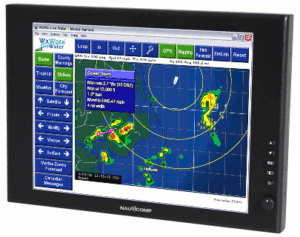
With that said, here are some of the most current types of screen resolutions that you should know about.

Video Graphics Array (VGA)

VGA was first released in 1987 by IBM as part of their PS/2 line of computers. Since its initial inception, VGA has taken on a few different meanings in recent years and is characterized by its 640×480 resolution. It also refers to the 15-pin D-subminiature VGA connector and the analog computer display standard. Currently, it’s used for high-definition resolutions of 1080p or higher.

Super Video Graphics Array (SVGA)

Developed in 1988 (just one year after IBM introduced VGA) by NEC Home Electronics, SVGA was an improvement on its predecessor. It increased graphics display resolutions by up to 36%, which amounted to 800×600 pixels. SVGA was designed to be compatible with the IBM PC and eventually replace VGA.

Extended Graphics Array (XGA)

If you’re not sure what XGA looks like, you’ve definitely seen it before. Most modern laptop computers—around 80% of the current market—use XGA, which is an LCD display that exhibits 1024×768 resolutions. Sizes range from 15.1 inches to 10.4 inches.  

Super Extended Graphics Array (SXGA+)

As the name suggests, SXGA+ is an extension or modified version of XGA. With a 1400×1050 resolution, this screen is designed specifically and exclusively to accommodate laptop computers. It also has a much higher display accuracy than its predecessor thanks its compatibility with the horizontal and vertical dot pitch that all standard-sized laptop computers have.

Quantum Extended Graphics Array (QXGA)

QXGA has a resolution of 2048×1536. This particular display mode is commonly used by graphics designers, computer engineers, and other users who require or prefer exact image details when using various programs for specific projects. It’s also ideal for users who use their devices to watch online videos.

Ultra Extended Graphics Array (UXGA)

With a resolution of 1600×21200, UXGA is also used by computer programmers, editors, and designers who require high definition and crystal clear images. It’s commonly used for watching TV shows, movies, and other forms of media or entertainment online to ensure an exceptional viewing quality.

Wide Video Graphics Array (WVGA)

WVGA is a much wider version of the standard VGA. It has a resolution of 800×480.

Wide Extended Graphics Array (WXGA)

With a resolution of 1280×800, WXGA is an extended and wider version of the standard XGA that’s used for most modern laptops. It has an aspect ratio (the image projection in proportion to the width and height of an image as it appears on the screen) 16:10 so that the size of the screen can be expanded.

Wide Super Extended Graphics Array Plus (WSXGA+)

Like WXGA, WSXGA+ is also a display mode that’s meant to be an improved version of the standard XGA, except it has a screen resolution of 1440×900 with an aspect ratio of 15:10, which makes it more compatible with smaller screens.

Wide Super Extended Graphics Array (WSXGA)

WSXGA is basically a widescreen version of the original WXGA featuring a screen resolution of 1680×1050 with 32-bit pixels. It’s most commonly applied to wide screen LCD displays that are 15.4 inches diagonally.

Wide Ultra Video Graphics Array (WUVGA)

Although it’s rarely used in technological applications, WUVGA has an aspect ratio of 4:3 and display resolution of 1920×1200 in its most advanced format. The reason it’s rarely used in technological applications is because of how expensive this formatting is.

Wide Quad Extended Graphics Array (WQXGA)

WQXGA has a screen resolution of 2560×1600 with 16:10 aspect ratio and the graphics consist of about 4.1 million pixels. As a result, WQXGA needs extremely high bandwidth and processing power to support its high pixel quantity. Monitors that are equipped with WQXGA also need dual-link DVI-capable cables and other devices that support a vertical resolution of 40Hz.

Quarter High Definition (qHD)

qHD has become the standard display mode for modern high-end smartphones and certain gaming consoles. With a 960×540 resolution coupled with a 16:9 aspect ratio, qHD accounts for a quarter of 1080p’s screen resolution, but it still packs a powerful punch for mobile devices.

720p

This is considered the lowest possible standard in HD screening and is often used for minimal tasks like watching videos on YouTube. It has a screen resolution of 1280×720. The 720 numeral stands for the number of horizontal lines that make up the complete raster. The lowercase p indicates the progressive scanning capabilities where each line is visible from the top of the screen in the image raster.

1080p

Also known as full HDTV, ultra-HD, and true HDTV, 1080p is a display mode that’s applied to most modern television screens as it has a far superior picture quality compared to 720p. It has a screen resolution of 1920×1080, which indicates that there are 1080 vertical scans that occur right before the viewers’ eyes.

2K, 4K, 8K

While most modern flat screen televisions boast a 4K standard resolution, electronic companies are also starting to adapt an 8K display mode. What does this mean? The K in all these abbreviations stands for “kilo”, meaning “thousand”. 2K, which is the standard used for most commercial movie screen projectors and high-end mobile devices, has a screen resolution of 2560×1440. 4K has a resolution of 4096×2160 and is also used for some high-end mobile devices. 8K, which has a resolution of 7680×4320 and is considered to be the highest screen resolution that humans can view. It’s also projected to be the next reigning champion of screen resolution standards as the technology continues to evolve.

As one of the leading designers, manufacturers, and distributors of high-end military and commercial-grade displays in North America, Nauticomp Inc. is at the forefront of this technological renaissance. We build and deliver high-end monitors and displays that are customized to meet the needs and daily operations of our customers. Contact us today to learn more or to place your order!

What Does IP67 Mean for Your Display?

Posted on: August 22, 2019

NautiComp Rugged DisplayWaterproofing and water resistance are two terms that are constantly being thrown around and used interchangeably in the tech industry. But what a lot of consumers might not realize is that they’re not actually one and the same thing. And, there’s a special IP rating system that exists to indicate the level of water, dust, and dirt protection that certain devices can promise. So what exactly is an IP rating and what does it mean for your device? Keep reading to find out everything you need to know.

How to Understand Your Rugged Display’s Unique IP Rating

When reading the product description while purchasing a brand-new device—whether it’s a tablet, laptop, or a smartphone—you may notice the specifications list includes something like IP67. Rugged displays might even have a much higher IP rating depending on what their intended purpose is. Basically, an IP rating indicates the degree of display protection certain devices have to offer.

The term waterproof indicates that a device is completely immune to large amounts of exposure to and contact with water and most other liquids regardless of how long it’s been submerged. Water-resistant indicates that a device can withstand minimal contact with water and other liquids. This usually includes splashing, rain, accidental spills that are immediately cleaned up, and so forth. But water-resistant displays typically can’t survive being submerged in water or other liquids for long periods of time.

What You Need to Know about Different IP Ratings

The IP rating system was devised by the International Electrotechnical Commission (IEC) with the intention of testing how resistant technological devices are to liquid and various raw materials while also informing consumers of these capabilities.

Each figure in an IP rating stands for something important. IP stands for “ingress protection”, which essentially denotes the level of protection that the external casing of a device is capable of providing. The digits that follow—in this case, 6 and 7—indicate the level of dust tightness/resistance and the device’s capability of being submerged in water for a long period of time, respectively.

The rating for dust tightness ranges from 0 to 6; the former indicates no dust protection whatsoever, while the latter indicates the highest level of dust tightness. The moisture protection rating ranges from 0 to 9 with the former being the lowest level of protection and the latter being the highest.

According to the IEC’s standards, an IP rating of IP67 indicates that a device is totally dustproof and provides moisture protection for up to 30 minutes of water submersion up to one meter in depth.

Nauticomp Inc. is one of the leading manufacturers and distributors of high-quality rugged displays that are used for military and Marines Corp operations in North America. Our Glass Bridge Display®, Signature II Series, and Genesis Series are all built to stringent IP67 standards. Contact us today to learn more about our products or to place an order!

How Optical Bonding Technology Improves Digital Display Quality

Posted on: August 5, 2019

Optical bonding is the process of attaching the top layer of touchscreen glass directly to an LCD display using a thin layer of strong adhesive. The intent is to strengthen the display and vastly improve its overall performance, readability, and touch-point accuracy by bridging the gap between the top layer and the display.

As a result of this process, optically bonded digital displays offer a wider variety of uses and benefits than touchscreen displays that aren’t optically bonded. The benefits of optically bonded displays include the following:

Sunlight Readability 

Not only is optically bonded glass and its binding adhesive completely transparent to avoid obstructing viewability and readability of onscreen content, but it can also be utilized in all kinds of weather conditions at any time of the day or night. Contrast is one of the biggest problems for outdoor monitors because the more ambient light that’s reflected from the screen, the harder it is to read. Optical bonding increases the display’s black and white contrast ratio and reduces the amount of ambient light that’s reflected to improve sunlight readability. 

Prevents Dust and Moisture Infiltration 

Traditional touchscreen configurations are only bonded from the sides and leave a massive gap in the middle that allows dust, dirt, and moisture to get in and destroy the display from within. Completely closing that gap makes it impossible for dust and moisture to ever penetrate the surface of the glass. 

Prevents Parallax Issues 

Parallax comes from the Ancient Greek word “parallaxis” which means “alternation”. It has to do with different perspectives of an object (in this case, digital displays) in relation to its position or placement. Two people viewing the same screen from different points even if they’re sitting side-by-side might not have the same view based on the position of the screen and the way it reflects light. Since optical bonding eliminates the air gap between the screen and the display mechanisms touch accuracy and viewability are heightened. 

Improves Accuracy 

Better viewability and increased touch accuracy that results from eliminating the gap between the glass and the device also means better touch accuracy. As a result, data readings and transmissions will also be more accurate and easier to access on command. 

Prevents Condensation from Building Up 

Since these screens are specifically designed for outdoor use, they need to be able to withstand all kinds of weather conditions. Traditional devices have a large gap between the glass and the device, which allows a lot of condensation to build up, especially in humid conditions. Over time, too much condensation can cause the internal device to malfunction sometimes beyond repair and this is a costly expense that you don’t want to have to incur. 

Nauticomp Inc. is one of the leading manufacturers and distributors of innovative custom optically bonded rugged displays that are ideal for all of your outdoor usage needs. Features include sunlight readability, waterproofing, dustproofing, and infrared lighting. To learn more or place an order, contact us today!