5 Advantages of LED Backlight Technology

Posted on: June 30, 2020

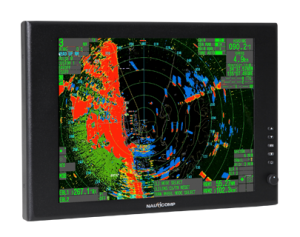
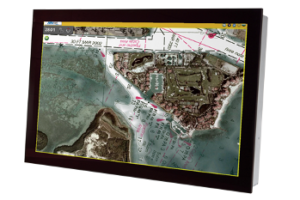
backlight TechnologyBacklight display technology is a common application that’s used in a variety of interfaces including laptop computers, monitors, cellphone screens, TVs, keypads, and many more.

As the name suggests, backlighting involves providing lighting for digital displays from behind, making it easier for users to see what’s on the screen. There are multiple types of lighting technology that can be used for various applications depending on manufacturer and user preferences. LED backlighting is considered to be one of the most beneficial methods of illuminating digital displays.

Here are a few reasons why.

Long Lifespan and Environmentally Friendly

Whether you’re a business or homeowner (or both), LED backlighting can help you get more mileage out of your technology.

LED backlighting generally lasts longer than its electroluminescent counterpart, with a lifespan of about 50,000 hours or more depending on the type and how it’s used. Industrial LED backlighting is typically more durable and long-lasting than commercial-grade backlight display technology because it gets more use.

As an added bonus, LED backlight technology doesn’t contain any harmful substances such as mercury or lead, which makes it environmentally friendly.

Excellent Brightness Uniformity

LED backlight technology provides excellent brightness uniformity to enhance and improve the user experience. Basically, this means that the internal structure and placement of the backlighting allows for it to distribute light more evenly across the screen to make for high-definition visibility.

This is particularly useful for large commercial digital displays, laptops, and TVs for at-home use.

Flexible Adjustments of the Luminous Frequency

In contrast to the traditional CCFL lamps, LED backlight technology is far more advanced in the sense that it completely eradicates the light flickering across the screen. This makes for a much more efficient and enjoyable user experience whether the screen in question is a TV or laptop.

Utilizes Low Voltage Power Supply

Since most LED backlight technology uses a very low voltage power supply of no more than 5-24 volts, this helps extend its overall lifespan, prevents the unit from overheating, and allows for longer display usage. This is why a lot of commercial digital display manufacturers integrate LED backlighting applications into their advanced designs.

Easy to Control and Display Colour Characteristics

Another advantage of LED backlight technology is that it makes it easier for the user to control and display specific colour characteristics using a variety of hues including blue, red, and green.

The large gamut of colour distinctions creates a more unique and somewhat interactive user experience that helps serve whatever purpose the digital display is being used for. Users can manually play around with the lighting effects, colours, and brightness levels to create a specific effect that suits their needs.

Nauticomp Inc. is one of North America’s leading designers, manufacturers, and distributors of custom digital displays. From medical facilities to the hospitality industry to special military and marines operations, we’ve provided state-of-the-art digital displays featuring customizable LED backlight technology for countless applications. Contact us today to learn more about our digital displays or to place an order.

How Robotic Digital Signage Could Tackle COVID-19

Posted on: June 8, 2020

Robotic Digital SignageThe COVID-19 pandemic has had an immeasurably devastating impact on practically every aspect of the human experience, from forcing us to limit our social interactions in an effort to minimize the spread of coronavirus and protect the most vulnerable members of our population to forever changing business landscapes across a wide range of industries.

While many essential businesses have been allowed and even encouraged to remain open throughout this unprecedented global health crisis, certain innovations such as robotic digital signage interfaces and displays have been more instrumental than ever.

Contrary to popular public opinion, the point of robotic digital signage isn’t to take away jobs from honest and hardworking people—quite the contrary actually. The point is to make their jobs easier and give them the peace of mind they need to continue working in public sectors amidst this massive global health crisis by eliminating the fear of contracting the virus.

Features of Robotic Digital Signage and Interface

If you’re wondering how robotic digital signage and interfaces can make public-facing jobs safer for retail store associates and grocery store workers, there are a number of advanced features that contribute to this.

Tech companies have been hard at work since the onset of the pandemic to help businesses jumpstart their operations as quickly and safely as possible. Modern robotic digital signage interfaces are equipped with advanced analytical features that can track the number of visitors to your establishment, perform temperature scans of each visitor, and gather other data such as age, gender, and even their emotional dispositions.

Other important features include automatic hand sanitizer dispensers to limit physical touch and further reduce the risk of viral transmission from one person to another.

Primary Functions of Robotic Digital Signage Systems

As a business owner experiencing unexpected and unprecedented economic challenges right now, you’re most likely focused on finding and applying advanced measures of keeping your customers and employees safe. These include thorough cleaning methods in addition to encouraging customers to make use of automation technology available in your establishment.

Retail establishments and grocery stores are increasingly encouraging customers to utilize their self-checkout kiosks. To limit the risk of transmission, these establishments have taken the following measures:

  • Asking customers to maintain a six-foot distance from one another
  • Providing floor markers for customers to stand on while waiting in line
  • Providing arrows in aisles indicating the direction customers should walk in
  • Closing middle kiosks to leave adequate space between customers
  • Thoroughly disinfecting kiosks after each customer use

Ultimately, the primary function of robotic digital signage systems is to use advanced automation technology to streamline transactions through easy-to-use interfaces as safely as possible.

What Are the Benefits of Using Robotic Digital Signage Systems?

As you’ve probably already guessed, there are a lot of benefits of integrating robotic digital signage systems into your business model, especially in these uncertain times. Many people may feel more comfortable engaging in as little physical human contact as possible, particularly when it comes to buying groceries, household items, and clothing.

Traditional retail establishments force people to place their items on a conveyer belt used by a number of other people before them. Additionally, their items are then touched by a cashier who’s had contact with a number of other customers and their items as well. This creates a large breeding ground for potential viral transmission.

While some level of risk will always be present in public-facing business environments, robotic digital signage such as self-checkout kiosks can considerably reduce that risk as long as the machines are carefully cleaned after each use and employees are provided with the proper PPE.

Benefits of digital display interfaces include:

  • Streamlining customer transactions with minimal physical contact
  • Encouraging customers to stay six feet apart at all times
  • Mandating that businesses work harder to ensure clean premises at all times
  • Allowing frontline staff to focus on other more important tasks aside from cashing customers out
  • Creating a clean, safe working and shopping environment for your employees and customers

How Do Robotic Signage Systems Help Limit COVID-19 Spread?

Technological advancements are ongoing. As new information is continuously discovered regarding COVID-19, its various mutations, and how it spreads, robotic signage technology will continue to evolve as needed.

Currently, the best way to deal with the situation in public-facing environments is to ensure that all government guidelines are adhered to as closely as possible.

This includes closely monitoring the health and well-being of your employees and customers. Robotic signage systems allow employees to limit direct interactions with customers without completely eradicating that personal touch customers expect.

At the end of the day, customers still want to feel like they’re getting a certain level of value and service from your business without having to do all of the work themselves. A common criticism customers have regarding self-checkout kiosks is that they feel like they’re taking a job away from a cashier. This couldn’t be further from the truth.

After all, these kiosks still require regular monitoring to uphold loss prevention, technological troubleshooting, and proving customer assistance when needed. Additionally, the use of these kiosks allows you to cross train more employees to work in other departments and therefore further streamline other backend operations of your business.

Audience Analytics in Robotic Digital Signage

Perhaps one of the most important features of robotic digital signage for your business in the current economic and health climate is the fact that it can help you determine whether it’s safe for certain customers and employees to enter and use your establishment.

A quick temperature analysis will help determine whether it’s safe for certain people to come into your business and alert you to any potential issues. This is a non-invasive but necessary tool that can help prevent the spread of COVID-19.

Nauticomp Inc. is one of the world’s most renowned and leading designers and manufacturers of state-of-the-art digital displays. We specialize in providing custom-designed digital signage systems and displays across a wide array of business sectors including restaurant and hospitality, medical facilities, gaming and entertainment, Marine Corps, and the military. To learn more about our products or to place an order, please contact us today!

How to Utilize Self-Service Kiosks and Digital Signage Efficiently

Posted on: May 27, 2020

Self-Service Kiosks and Digital Signage EfficientlyWith the introduction of self-service kiosks, audiences everywhere—whether it’s at a restaurant, shopping mall, office building, or hospital—have been benefiting from this cutting-edge new technology and the interactivity it provides users.

Interactive digital signage is effective, easy to use, and can increase a business’s ROI over time by allowing businesses to display information quicker and more cost-effectively to audiences.

As a business owner, how can you use self-service kiosks and digital signage to your advantage? How can properly executed display interfaces improve your ROI? Keep reading for the answers.

Improve Accessibility

Digital signage should be designed with accessibility in mind. Not only should the self-service kiosk be ADA-complaint (Americans with Disabilities Act) and user friendly, but it should also take into consideration the fact that not all customers speak the same language.

By providing multi-language support, you can make the display interface accessible to a wider audience and interact with customers from all over the world.

Also keep in mind that customers prefer straightforward designs. If your user interface (UI) is cluttered or difficult to read, it might discourage customers and affect your sales. Customers don’t want to browse several pages just to find the product or service they are looking for.

The same applies for digital signage that cycles through too quickly or too slowly. Customers read and retain information at different paces, so make sure to cycle through information at a steady pace, otherwise your customers might get frustrated and go elsewhere.

One of the biggest benefits of digital signage is that not only is the display interface accessible, but self-service kiosks also provide a myriad of components that help protect the privacy of clients by controlling how data is collected and how personal information is stored.

More Advertising Opportunities

As a business owner, you know how important adverting is for improving brand awareness and customer loyalty. The goal is to attractive your audience’s attention and keep them engaged in your signage.

One of the best ways to do that is to use digital signage and interactive kiosks to display your brand messaging. You could purchase ad space on self-service kiosks and display your ad—whether it be through video, text, audio, or photos—while users wait for their information to displayed.

For instance, if you operate a store within a shopping mall, this is the prime opportunity to advertise your business to potential customers on mall directories. Another example is for fast food restaurants to display ads for their new menu offerings on their digital menu boards. As customers wait their turn to place their order, you could influence their decision by advertising to customers who are already spending money at your establishment. Meanwhile a clinic might allow a wellness brand to advertise new products through digital signage in the waiting room or lobby.

The benefit of digital display interfaces is that the ads can easily be interchanged to display more information, unlike static advertisements that can only display one ad at a time.

Expand Wayfinding

One of the most effective uses for self-service interactive kiosks is for wayfinding. Digital signage can be used to help guide users in a variety of buildings, such as shopping malls, office buildings, and hospitals.

Businesses can use digital wayfinding solutions to improve their customer services and overall customer experience.

Digital wayfinding solutions have shown to be more effective than static maps or directories, which can be confusing, by allowing users to get personalize directions and assume the user’s perspective to better guide them to their destination.

Digital display interfaces can also integrate multiple data feeds to provide users with more than one option. Kiosks can display information such as bus routes, departure times, and travel times, so users can weigh their options and choose the solution that best meets their needs.

Improve the Customer Experience

A recent survey found that 70% of customers expect a personalized experience when using digital kiosks. The good news is that digital signage allows for plenty of opportunities to customize the user experience and help businesses understand their users better.

Businesses can use cloud-based content management systems (CMS) to provide localized messaging (e.g. weather, news, gender-specific resources, and age-related content) to improve the customer experience and provide targeted messaging.

In-store digital signage can also be used to gather customer opinions. Businesses can then use this feedback to develop content geared to their target audience and improve the customer’s experience in-store.

Deliver Information Conveniently

Unlike static signage, digital signage allows businesses to display information quickly and conveniently. Messaging can be switched up or modified on a whim, which means brands can change their signage to suit current trends and demand.

Take for instance the COVID-19 pandemic. Many people are looking for answers and information about the best ways to stop the spread and how to navigate public spaces safely. Medical offices can use digital signage to display valuable information about the virus, including fact sheets, terminology, and general health practices.

Other establishments could use their display interfaces to present information about their social distancing rules in place, such as the number of patrons allowed to enter the establishment and the safety measures in place to protect staff, customers, and the general public.

Since this information could change weekly, using digital signage to deliver information is an efficient way to keep people up to date.

Order Entry and Payment

Lastly, digital display interfaces help to sort out administrative tasks quickly and efficiently. They can be used for data entry and payment and they stretch hours of operation.

When implemented, self-service kiosks streamline operations and reduce the amount of time that is wasted taking orders and imputing information. By eliminating the middle person and having the customer input their own information, it reduces operational costs and benefits a business’s bottom line.

Some organizations that are already benefiting from self-service digital displays are fast-food restaurants, hospitals, medical offices, and grocery stores.

Nauticomp Inc. is one of the leading experts in designing, manufacturing, and distributing high-end commercial and industrial digital signage displays on an international level and across a wide range of industries. Regardless of the type of industry you work in, we can provide the right display interface to suit your needs. Contact us today to learn more about our products and how we can help you enhance your business operations.

Benefits of White Label Digital Signage Solutions

Posted on: May 14, 2020

As a business owner, you know how important it is to get your brand name front and center. From a marketing perspective, the more visible your messaging and brand name, the more likely people are to remember your product.

How can white label solutions take your digital signage campaigns to the next level? Here’s what you need to know about white label solutions and how they work in tandem with your digital signage solutions.

What Is a White Label Solution?

A white label solution is the process of taking someone else’s product and legally rebranding it as your own product. Essentially, the only difference between the original product and the rebranded product is that the rebranded product has a different packaging and label.

Why might a company opt for a white label solution? Considering the cost of market research and how tedious product development is, white labeling is a cost-effective way for companies to expand their product offerings with various software and technology solutions. Depending on what the product is, white label buyers can either sell the product internally, externally, or as part of a large corporation.

When it comes to digital signage solutions, white labeling allows businesses the opportunity to customize the signage with their own logo and brand name, and display unique content that customers want to see. It’s a great way to make a lasting impression on customers.

Benefits of Using a White-Labeled Digital Signage Software

There are many benefits of using white-labeled digital signage software both for the signage producers and the marketer. Here are a few of them:

  • Increases Distribution: When you sell your product under a different label, you can get the exposure you want. In almost every market, there is an opportunity for companies to build upon existing products and software and sell to even more customers.
  • Builds Your Brand Image: By having digital signage solutions in your repertoire, you can improve your brand image and tighten your relationships with your customers.
  • Lowers Your Costs: You can significantly lower your costs by offering white label solutions. Typically, private label pricing is based on the provider offering a turn-key solution at a lower rate, which means you can save a lot of money in development.
  • Support in Multiple Languages, Locations, and Currencies: When you opt for white label solutions, the software has support in many languages, which means you product can be used anywhere in the world.
  • Create Your Own Price: One of the biggest advantages of rebranding your digital signage solutions is that you can set up competitive pricing to improve your ROI. You have the flexibility to create your own pricing model and determine how often you want to be paid. 

Things to Consider when Choosing a White Label Partner

Before you choose a white label partner, there are a few things you should keep in mind. Consider how secure the product is and whether they have solutions in place to prevent vulnerabilities with the software.

Not only does the software need to be secure, but it also needs to be reliable. If for any reason the screen doesn’t work or the wi-fi goes down, you need to have peace of mind knowing that your white label partner can handle the problem and work efficiently to get it resolved. The longer your digital signage solution is down, the more revenue you will lose.

Finally, consider if your potential white label partner has experience working in your industry and whether they have the network to help you curate a beneficial business relationship. Do they have the resources to scale up by adding or removing displays, and are they ready to grow with your business?

Choose Nauticomp for Digital Signage Solutions

Nauticomp Inc. is one of the leading designers, manufacturers, and distributors of modern state-of-the-art digital display solutions in North America. Our custom-designed and built displays are featured across a wide range of commercial and industrial applications including retail environments, healthcare facilities, military bases, Marines operations, the gaming industry, and so much more. Our goal is to help revolutionize the face of modern technology one digital display at a time. Contact us to learn more about our white label solutions or to place an order.

Everything You Need to Know about the Different Display Interfaces

Posted on: April 28, 2020


Digital Display InterfaceThere are many digital display options available today. Whether you require a display for your military operations or for your commercial building, it’s important to find the device that meets your unique performance requirements.

When looking for the right digital display, many people tend to focus on the size, screen brightness, and resolution; however, those are just a few factors you need to keep in mind.

One feature that is paramount to how your display will function is its interface. The display interface controls how your digital display exchanges information with peripheral devices, such as memory devices, workstations, and special equipment.

Here’s what you need to know about the different display interfaces and how you can find the right digital display technology for your needs.

Digital Display Technology

What exactly is a digital display and how does it work?

Essentially, all digital displays are made up of many rows and columns of pixels that are driven by a controller that transmits information to each pixel. This information controls the brightness and colour needed to make up the image on the screen.

Depending on the device, some pixels are light-emitting diodes (such as in LEDs), while others act as a shutter that let in light from a backlight.

The image information is stored in the memory array and the information is transmitted to the display through the display interface.

It is the job of the display interface to essentially communicate all information between various components (e.g. the memory array and the screen) and peripheral objects (e.g. a tablet and a memory storage device).

While all display interfaces function similarly, how they communicate information varies greatly from one interface to another.

Types of Display Interfaces

There are various display interfaces to choose from. Here are some of the advantages and disadvantages of popular display interfaces available on the market.

Serial Peripheral Interface (SPI)

Serial Peripheral Interface (SPI) is a synchronous serial communication interface, meaning it allows for data to be sent and received in both directions, on the same line. It’s best used for short distances for small, low-resolution displays such as small LCDs.

Other popular devices that utilize SPI include memory chips, data storage devices, sensors, microprocessors, and printers.

SPI allows the serial exchange of data between two devices by using a master, which controls various devices. Since each device has its own slave connection, the master can interface with multiple devices independently. Because of this, SPI requires numerous pins between devices since each slave attached to the master system needs an additional chip select I/O pin on the master.

One of the biggest benefits of this interface is that there is no protocol overhead, meaning the transmission can run at very high speeds—faster than I2C and other display interfaces. It is also rather easy to set up, has bandwidth capabilities of up to 10mb/second, simpler wiring compared to parallel interfaces, and longer cables.

Inter-Integrated Circuit (I2C)

Inter-Integrated Circuit, also known as I-squared (I2), uses a multi-master, multi-save, singe-ended serial computer bus system to connect to small, low-speed devices like micro-controllers, A/D and D/A converters, I/O interfaces, and other simple PC peripherals.

I2C has a bandwidth capability of up to 400 KB/second or 1 MB/second and allows for easy communication between components on the same circuit board.

Much like SPI, I2C only works for short distances, uses a synchronous serial port, and works well with smaller LCDs; however, it can also support up to 1008 slaves, has four pins, and only needs two wires, unlike SPI or other digital displays.

Some of the main benefits of I2C are that it consumes a low amount of energy and is resistant to noise. It can also handle usage in a broad range of temperatures and is easy to use/troubleshoot.

RGB (Red Green Blue)

RGB is used to interface with medium to large colour displays by sending 8 bits of data for each colour (Red, Green, and Blue). It can drive much larger displays at video frame rates of 60Hz and up.

RGB display interfaces have bandwidth capabilities of up to 1.2 GB/second. They also have a high performance and a low cost overall.

That said, RBG requires numerous pins (up to 29 pins for 8 bits of colour) and expensive connectors. There is also the possibility of the RBG causing electrical noise since it consists of fast edges on multiple wires, which could be a problem for systems that include wireless modules.

Low-Voltage Differential Signaling (LVDS)

A popular choice for large LCDs and peripherals that need high bandwidth, Low-Voltage Differential Signaling (LVDS) is used for displaying high-resolution graphics, high-speed videos, and video camera data transfers because of its fast data transmission and low voltage.

It has a bandwidth of up to 3.125 GB/second and it can operate with low power, yet still provide high speeds.

LVDS transmits little interference, which makes it great for systems that include wireless transmitters and require little noise disruptions. It works for larger displays that must operate in harsh environments and, due to its low heat dissipation, it has a longer battery life compared to other display interfaces.

The technology is commonly used for LCD TVs, industrial cameras, notebooks and tablets, printers, cellphones, and communication systems. It is also used often for commercial and military digital displays, as well aerospace applications.

Mobile Industry Processor Interface (MIPI)

Mobile Industry Processor Interface (MIPI) is a rather new technology that has gained popularity in recent years among mobile and wearable technology developers. Used primarily for cellphone displays, there are several versions of MIPI and it can be adapted to fit the needs of various industries such as PCs and other consumer applications.

MIPI provides a streamlined upgrade path from I2C and has a bandwidth of 6 GB/second.

Although it has a complex protocol and driver software, it also has both high-speed and low-speed power modes and can read back data from the display at lower rates.

Which Is the Best Display Technology for You?

Choosing the best display interface for your needs depends heavily on the type of application and the environment you plan to use it in.

There is no one-size-fits-all “best” digital display on the market. Each has it’s own advantages and disadvantages. When choosing the right interface for your business needs, consider the following factors:

  • How much data do you need?
  • How many colours do you need to display?
  • What is your budget?
  • How will it connect to your current electronics system?

Nauticomp Inc. is one of the leading experts in designing and manufacturing digital display technology that’s specifically designed to engage more customers on an industrywide basis. Retail, restaurant, gaming, Marine Corps, and military operations have all benefited from our high-end products. Contact us today to learn more!


5 Common Mistakes to Avoid in a Digital Outdoor Signage Campaign

Posted on: April 7, 2020

batch-12-20-of-21-PUVT222There are many benefits to a well-implemented digital signage campaign. Not only can it help you boost sales and increase brand awareness, but it can help you reach a broader audience. The key to successfully incorporating outdoor signage in your marketing efforts, however, it to know how to use the technology to your advantage.
Below are five common digital signage mistakes that businesses make and how you can avoid falling into the same trap.

1. Installing Your Sign in the Wrong Location

In order to have a successful campaign, you have to know where to install your outdoor signage. You’ve likely heard the phrase “Location, location, location” when it comes to real estate, and the same concept can be applied to digital signage.

It doesn’t matter how great your content is; if your signage isn’t placed in an area with heavy traffic, no one will see it. Your goal is to reach as many people as possible with your outdoor signage and the best way to do that is to ensure that it’s placed at eye level on a popular street.

2. Not Including a Call-to-Action

So, you’ve managed to grab the attention of your audience with your digital signage…now what? The next step is to turn that lead into a sale, and that’s where a call-to-action (CTA) is necessary.

A call-to-action is what directs your audience to take the next step and seek out your products or services. It can be a simple line that tells people to contact you for more information or it can direct your viewers to your website, so that they can make a purchase.
Regardless of what you want your viewers to do, it’s important to include a call-to-action in all your outdoor signage campaigns, so that you can turn interested viewers into customers.

3. Over-Complicating Your Content

It makes sense to want to fit as much information on your sign as possible, but when you consider the fact that most people will only have a few seconds to view your digital signage (as they walk or drive by), you may want to consider making your message short and simple.

Overly complicated or lengthy outdoor signage tends to have an undesirable effect on people. The chances of the message being read in its entirety is slim and it bombards people with too much information to process.

Instead, just emphasize your keys points and make sure your call-to-action is clearly visible.

4. Targeting the Wrong Audience

Just like installing your digital signage in the wrong location can impact your success, not targeting the right audience can also make or break your campaign.

Determine who your target audience is (e.g. business professionals, stay-at-home moms, etc.) and do some research to see what groups of people tend to pass by your outdoor signage throughout the day.

To target the right audience, you need to customize the content to the specific needs and wants of your target group (e.g. marketing a new children’s store to young parents).

5. Relying on Static Digital Content

This is perhaps one of the easiest mistakes to make. People don’t want to see the same sign over and over again; the more a person becomes accustomed to the imagery on your digital signage, the less it will stand out to them.

One way to get around this is to avoid, static digital content. Switch things up from time to time and update your content often. Digital signage is meant to engage your audience and enhance their experience as customers. Use technology to your advantage!

Nauticomp Inc. is one of the leading experts in designing, manufacturing, and distributing high-end commercial and industrial digital displays on an international level and across a wide range of industries. Contact us today to learn more or to place an order!

Factors to Consider while Customizing Digital Displays

Posted on: March 25, 2020

seriesii_04-150x150Digital displays can serve multifaceted purposes in our daily lives. From being great sources of entertainment to keeping us informed to serving as unique marketing platforms for businesses of all sizes, the possibilities are virtually endless. But there are a lot of important factors to consider when it comes to choosing the right digital display technology for your commercial needs.

After all, digital displays are a major long-term investment and certain configurations and decisions are more suitable for certain types of businesses. Here are a few details you should think about when purchasing and installing indoor or outdoor digital displays for commercial use.

Business Goals and Target Audience

Think about and define your business goals and the type of target audience, demographic, or regional locals that you’re trying to engage. Are you planning on expanding your business to new markets? What demographic is most prominent in your current location and the locations you want to target? With these considerations in mind, you should come up with specific localized key brand messaging that speaks to specific demographics and captures the attention of your target audiences.

Size and Resolution

The size and resolution of the digital displays depends largely on whether they’re indoor or outdoor displays as well as the type of environments they’re going to be placed in. Larger screens with clear high-definition resolution are more suitable for outdoor locations while smaller screens with lower grade resolution are ideal for indoor retail locations.

Bezel and Display Finish

The bezel is the exterior frame that holds the entire display together. Therefore, it needs to be extremely durable and capable of withstanding various external elements such as different weather conditions and public usage, regardless of how rough or gentle it is. A strong bezel ensures a long lifespan for the display which can also reduce your overhead costs.

Display Colour and Brightness

Display colour and brightness are two factors that also depend on the placement and location of the monitor. Outdoor displays—particularly ones that are set up in busy locations—typically require more frequent lighting and colour adjustments than indoor displays due to changing lighting conditions throughout the day.

Well Executed Touchscreen Interface

High-end touchscreen interfaces are incredibly compelling and effective at capturing people’s attention. This digital display technology can help you create a truly interactive, memorable, and imaginative face-to-face marketing experience for your prospective and existing customer base. Moreover, people will also be more compelled to relay their experiences with your brand to their friends and family. With the advancement of smartphone and tablet technology, touchscreens have become an integral part of our everyday lives.

Nauticomp Inc. is one of the leading designers, manufacturers, and distributors of modern state-of-the-art digital display technology in North America. Our custom-designed and built displays are featured across a wide range of commercial and industrial applications including retail environments, healthcare facilities, military bases, Marines operations, the gaming industry, and so much more. Our goal is to help revolutionize the face of modern technology one digital display at a time. Contact us to learn more or to place an order.

Top 6 Factors to Consider when Designing Displays for Outdoor Use

Posted on: March 5, 2020

Designing Displays for Outdoor UseOutdoor digital displays can significantly boost your advertising ROI by allowing you to promote key brand messaging effectively, efficiently, and across a broad marketing spectrum. In order for your digital display advertising campaigns to be successful however, you need to be careful when selecting the right monitors and display configurations for the job. There are a number of different factors including the industry you work in, the regional locations of your ads, as well as the target demographic you’re trying to reach that should be taken into consideration.

When shopping around for state-of-the-art digital technology, you need to also think about the type of brand messaging that your organization is trying to convey. Whether you’re on the cutting edge of advanced digital technology or you’re in a completely unrelated field, you need to make sure that your brand messaging is on point and comes across as clearly as possible to your target audiences.

With that in mind, here are six factors to consider when purchasing or designing custom digital displays for your business.

Weather Conditions Across Different Regional Locations

Since we’re talking about outdoor digital displays, one of the top features you need to think about is whether they’re durable enough to withstand a wide range of weather and climate conditions. Consider the areas in which your digital displays will be installed.

Are they going to be installed in tropical climates or cold, snowy areas? Weather and climate conditions play a huge role in determining the types of features your custom digital display will require. These include:

  • Sunlight readability
  • Dustproof
  • Waterproof
  • Heat protection
  • Freeze protection

Keep in mind that the placement of the displays also matters. For instance, if the display is meant to advertise your brand overlooking a highway overpass, you want to make sure that it’s angled in such a way where every motorist passing by can safely read the advertisement without distracting from their driving. In some cases, outdoor displays can be impeded by weather conditions like fog, heavy rain, or snow if they’re not properly angled or equipped with the appropriate features.

Ask about Warranty Limits

These days, even the most state-of-the-art technological displays are only made to last a certain number of years before part replacements and repairs start adding up to the point where it makes more sense to simply replace the entire display. Display technology is a massive undertaking and investment for your business. As such, it’s important to inquire about warranty terms and conditions.

The first question you should ask is, how long is the warranty? The second question is, what exactly is included in the warranty limits? Gaining a clear understanding of your warranty limits can help you determine the types of display features you need and it also helps you outline a more accurate and useful digital display budget for your business.

Does It Have a Touch Sensor?

Touch sensors are practically a necessity for every modern day outdoor digital display. Capacitive touch sensor technology allows you to install a multitude of digital displays in various types of climates without worrying about damaging the internal mechanisms of the displays themselves.

Also, these types of digital displays can easily be manually or remotely operated regardless of exposure to the elements including wind, rain, snow, ice, and sleet. All of the electronic components and mechanisms are safeguarded by the thick cover-glass that’s strongly secured in place to by optical bonding to prevent leaks while still allowing for touch operations.

Interactive displays, which are growing in popularity by the day, are captivating and have the capacity to compel any and all passersby to engage and immerse themselves in your clever marketing campaign.

Cover Glass Finish

Since these digital displays are made to be used by the public, one of the most important features you should be looking for is the cover-glass finish. Cover-glass is intended to protect the internal mechanisms of the display by preventing external damages like cracking. Outdoor digital displays should be built to withstand harsh weather conditions as well as rough usage equally.

After all, you can’t control the manner in which your target audience or the general public actually interacts with your displays. And you certainly don’t want to be responsible for having to repair or replace them more frequently than absolutely necessary. A strong cover-glass finish should be able to withstand almost anything and everything that’s thrown at it including inclement weather, vandalism, and mishandling.

Optical Bonding Technology

State-of-the-art outdoor digital displays are composed of many different layers, all of which play an important role in presenting viewers with content. These layers include:

  • Polarizers
  • Touch sensors
  • Display cells
  • Cover-glass

Some of these layers can be bonded together by a clear binding agent that also leaves small gaps of air between each layer. The purpose of these gaps and this bonding is to allow the distribution of external light from the sun or other sources to be reflected rather than absorbed so that the display contrast will be better controlled and reduced.

Modern optical bonding involves applying an adhesive with a refractive index that matches that of the glass onto the surface that’s going to be bonded. Once the layer of glass is placed onto the surface, the adhesive is automatically activated by a combination of UV light, heating, and some pressure.

What Technological Enhancements Are Available?

Innovative technological enhancements are constantly being developed and released to the point that you might purchase a custom-designed display and a new one might already be in development by the time you receive and install your order. When it comes to purchasing new digital technology or displays the key is to understand what features are currently available and how those features are essential to helping you reach your business and marketing objectives.

If you need help determining which technological features are absolutely necessary and worthwhile investments for your business, then you should consult a manufacturer directly.

Considered one of North America’s leading designers, developers, and manufacturers of high-end digital displays, Nauticomp Inc. provides businesses within all industries custom displays that consist of the exact features they’re looking for. Contact us today to learn more or to place an order.

What Are the Key Differences Between TV and Digital Signage Monitors?

Posted on: February 20, 2020

smiling-manager-giving-a-monitor-presentation-to-LSDEHZ9-minOne of the most important components of creating a successful digital marketing campaign is having the right high-quality hardware and equipment at your disposal. Many business owners mistakenly believe that they can get away with using consumer-grade TVs instead of investing in high-end commercial-grade digital signage monitors. The former may end up saving you some money upfront, but those savings are meager and incomparable when you take into consideration the long-term saving and ROI potential of purchasing state-of-the-art digital signage communication monitors for your marketing campaign.

Why You Need a Commercial Display for Your Digital Signage Communication

Outwardly, commercial and consumer-grade digital displays might look similar, but their design and application differences are what truly set them apart. Here are some factors to consider when deciding whether to purchase digital signage monitors for your business:

Commercial Monitors Are More Versatile

Consumer-grade TVs are only designed for minimal home or personal use. At best, they can last a few hours while turned on without overheating. Once the mechanisms start to heat up too much, the display will automatically go into power saving mode or shut off.

Commercial-grade monitors are more versatile in the sense that they’re designed to withstand much longer periods of usage without overheating and they can be used in a variety of indoor and outdoor environments. They can also be exposed to more of the elements without succumbing to damages or needing repairs.

Commercial Monitors Are a Better Long-Term Investment

Purchasing a digital signage monitor for your business entails a great deal of usage. In some cases, that could mean requiring the display to be operational for the length of your business’s hours of operation. Depending on what type of business you’re in and where you’re located, it could even mean ongoing usage.

Commercial monitors require very little maintenance and they can last for long periods of time without overheating or automatically shutting off. Plus, you can control them using remote software and mechanisms to update or change advertisements and brand messaging as needed. Consumer-grade TVs aren’t equipped with these capabilities.

Commercial Monitors Are Compatible with Multiple Inputs and Outputs

Commercial monitors are compatible with a variety of inputs and outputs which means they can easily be transported to various locations and fit within their display mechanisms without issue. You can even connect commercial monitors to personal devices like mobile phones, tablets, laptops, and desktop computers to remotely control and update commercial content. 2

Commercial Monitors Have Better Brightness Settings

Considering commercial monitors are going to be set up in public places like retail stores, shopping malls, cafeterias, food courts, train stations, subway stations, restaurants, and other types of business locations, it’s important that customers are able to see what’s being displayed on the screen. Commercial monitors have state-of-the art sunlight readability and brightness settings that can be adjusted according to the specific location, screen angle, and natural lighting.

Consumer-grade TVs only have limited brightness settings that are ill-equipped to handle these types of factors.

Nauticomp Inc. is one of the leading experts in designing, manufacturing, and distributing high-end commercial and industrial digital displays on an international level and across a wide range of industries. Contact us today to learn more or to place an order!

How to Build a Solid Digital Signage Content Strategy

Posted on: February 10, 2020

Digital signage is one of the most effective modern advertising tools that businesses can use to get their brand messaging and product information in front of the eyes of their target audiences. Statistics show that consumers are 400% more likely to become engaged with digital displays and advertising as opposed to conventional static advertising methods. Interactive and moving digital displays have the capacity to capture and keep people’s attention as they’re passing by in public places. But it’s not enough to simply purchase and occupy the ad space.

You need to constantly create new, exciting, and engaging content that entices and impresses your target audience. To accomplish this goal, you need to come up with a dynamic and creative content strategy that’s always changing and not only keeping up with the most recent trends but also anticipating and staying ahead of them. If you want your brand to be at the forefront of advertising innovation in your field, then you need to be an industry disruptor by regularly creating and releasing fun and memorable content.

Why You Should Invest in a Dynamic Digital Signage Content Strategy

Creating unique conceptual digital signage content to help capture and retain the attention of your target audience is challenging, but the end result is well worth it. Investing in creative digital marketing tactics can help boost your ROI and your overall bottom line. Along with getting your brand name and message out there, memorable digital advertisements also have massive selling power.

Where static signs tend to fade into the background, digital advertisements tend to be far more dynamic due to their unmatched visual and interactive appeal. In many cases, digital advertisements physically draw your audience in, making it impossible for passersby to ignore them.

Paired with a high-end digital signage system, the right content strategy can help put your advertising efforts over the top. But there’s a lot of elaborate planning involved and it might not necessarily happen overnight.

Here are a few tips to help you build a solid digital signage content strategy that’ll not only help your brand get noticed, but that’ll also help establish a loyal fan base and expand your reach.

Clearly Define and Outline Your Goals and Objectives

What is your organization trying to accomplish with your digital signage initiatives? How will you go about effectively reaching those goals? Before you go ahead and install digital displays throughout your various business locations, you need to have a clear and precise brand message in mind that you want to be associated with and representative of your business.

Without a clearly defined and well-worded brand message, it’s easy for consumers to lose sight of what you’re trying to sell and advertising to them. A good content strategy should consist of a strong brand message that customers can easily relate to, understand, and associate with your brand.

Once you’ve determined what you want to communicate to your target audience and prospective demographics, the next step is to set a content strategy and communication budget that can help you achieve those goals.

Set Your Brand Apart From Your Competitors

Digital displays present your brand with a unique opportunity to differentiate yourself from your competitors. What features and attributes does your organization possess that makes you stand out from your competitors? This is important information to have in your arsenal so that you can effectively communicate to your target audience why they should support your business instead of others in your field.

An in-depth content strategy should include your brand’s core values and put them on full display at all times. Of course, the nature of your industry is constantly evolving and your brand messaging should evolve with it. That’s why conventional static advertisements no longer suffice to represent modern businesses. A digital signage system gives you the ability to make automatic changes as needed, but you should carefully think about what type of messaging you want displayed, which is where a concrete content strategy comes into play.

Tell Your Audience Who You Are

Generally speaking, consumers find it easier to support an organization they recognize instead of some large faceless corporation or conglomerate. One of the most important aspects of creating a brand image through a well-thought out content strategy is telling your target audience who you are as an organization.

An effective way of accomplishing this is by introducing your audience to your team to introduce them to the faces behind your organization. Associating familiar faces with a business helps make it easier for customers to relate to your brand and encourages them to support you more. Digital signage can help you tell your brand’s story in real time and give personal perspectives of what it’s like to work for your business. This personal take is important because it can help you reach out to a much wider niche audience that takes pride in supporting local businesses.

Plan a Well-Timed Content Strategy

Consider the time of year when planning out your content strategy. Are there any well-known or widely celebrated holidays coming up? Of course, there are always the big holidays like Christmas, New Year’s Eve/Day, Valentine’s Day, Easter, and Thanksgiving that are all excellent advertising opportunities for every business.

But try to think outside the box to make your brand stand out even more. Are there any specifically location-based or regional holidays or events that you should be aware of? Research each location your business is in and try to speak directly to the unique sensibilities of the locals there.

Digital signage offers your brand unparalleled opportunities to flex your creative muscles, so you can have a little bit of fun with it and make it more engaging for your local target audiences as well. Don’t shy away from clever tongue-in-cheek slogans or bold and bright colours, images, and interactive displays.

Nauticomp Inc. is one of the leading designers and manufacturers of custom digital display systems that are ideal for indoor and outdoor use. We build digital displays for a wide range of industries including military, Marines, retail, hospitality, restaurants, and even medical facilities. Contact us today to learn more!