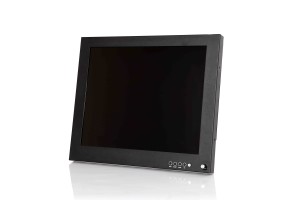

What Are the Advantages of Using Touchscreen Monitors?

Posted on: January 12, 2022

touchscreen monitor

Interactive industrial touchscreen monitors and displays are becoming a commonplace staple technological feature of many commercial business settings and projects. Features are becoming increasingly advanced with each new generation of commercial-grade monitors. Yet, user interfaces are easier to navigate and use than ever before. Plus, industrial and commercial displays are a lot more affordable and easier to maintain than they were in the past. Accessibility and consistency are key factors when it comes to designing modern-day industrial and commercial touchscreen monitors.

If you’re wondering if this is a worthwhile investment for your business, then keep reading to learn more about the benefits of commercial and industrial touchscreen monitors.

Engaging and Interactive

Interactive displays in public settings automatically draw people in and engage them in the content that’s being displayed. They go from being passive presentation viewers to active participants. Increased customer engagement leads to greater brand awareness, education, and eventually loyalty. Creating an inviting and fun customer experience through engaging activations effectively cements the customer-brand relationship.

Whether you’re doing a product demonstration or displaying your brand catalogue on a self-serve kiosk, interactive monitors are a great way to create a personalized and more memorable customer experience.

Easy Cleaning and Maintenance

Industrial and commercial touchscreen displays are incredibly easy to clean and maintain. Fingerprint smudges and marks can be wiped off using a soft microfiber cloth. Modern touchscreen displays also come with durable enclosures that prevent dust, water, and other debris from penetrating the surface and causing internal damages.

Durability and Resilience

Since these displays are designed for industrial and commercial use, they contain certain protective features that ensure excellent long-term performance. Industrial and commercial touchscreens are built to last a long time and withstand all kinds of harsh environmental conditions and rough usage. Perfect for grocery stores, restaurants, retail stores, warehouses, distribution centers, medical facilities, and even military and marines operations, industrial and commercial monitors can be custom-tailored according to the specific parameters that are called for by various applications.

Speed and Efficiency

Touchscreens are operated by capacitive or resistive touch. That means you can use your fingers or a stylus pen to perform various functions with ultimate precision, speed, and efficiency. The intuitive design of these machines allows them to automatically detect accidental touches such as grazing against the screen versus actual performative functions to prevent system errors. Functions are performed more quickly through direct touch without the need of peripheral devices such as mouses.

Secure and Reliable

Commercial and industrial touchscreen devices offer excellent security and reliability as long as you provide them with the proper protection. Touchscreen enclosures in public settings effectively prevent system damages and theft from occurring by securing the displays in place. Protect your investment from potential damages by installing appropriately fitted touchscreen enclosures.

Self-Service Features

Self-service is the future of many different industries. It’s a great money-saving feature that allows you to cross-train your staff in different departments so that they can be of greater use to your business by performing back-end operations or assisting customers. Moreover, customers love the convenience and expediency of using self-service kiosks in grocery and retail stores.

Nauticomp Inc. provides world-class fully customizable touchscreen displays for commercial and industrial settings. With features like sunlight readability, brightness adjustability, infrared lighting, full backlighting, all-weather capabilities, etc., our displays are second to none. Contact us today to learn more.


How to Clean LCD Display Monitor Screens?

Posted on: January 5, 2022

lcd display

Industrial LCD displays and computer monitors are generally very low maintenance, but they do need a good cleaning every once in a while to make the viewing experience more enjoyable and extend their lifespan. But it’s important that you learn the proper ways to clean LCD screens to avoid damaging them in the process. Keep reading to learn how to clean a monitor screen the right way, so that you can get the most use out of it and remove smudges, dirt, and germs. 

What Are the Correct Ways to Clean Your Industrial LCD Screen?

Cleaning your computer screen the wrong way could actually damage it and lead to expensive repairs or replacements. To avoid this type of headache, here are some tips on how to clean a monitor screen the right way.

Consult the Manufacturer’s Cleaning Instructions

Computers usually come with special care instructions from the manufacturers that explain in detail the proper ways to care for your device and keep it clean. Before setting up your device, make sure to read through the care instructions carefully and follow them closely. If you have any questions or need further assistance, you can contact the manufacturer directly.

Switch Off Your Monitors before Cleaning

Make sure to turn the monitor off before you start cleaning it as wiping it with a damp cloth while it’s on can damage the pixels. Plus, it’s easier to see the dust, smudges, and dust particles when the screen is off and completely black. That way, you can make sure you get a thorough clean without damaging the screen. Turning off touchscreen devices before cleaning is also highly recommended so you can avoid accidental touches that perform the wrong actions or functions.

Avoid Using Harsh Chemicals

LCD screens have protective anti-glare and anti-reflective coatings on them to improve visibility. Touchscreens also have oleophobic coatings that prevent fingerprint oil smudges from appearing on the screen. Store-bought glass cleaners contain harsh chemicals such as alcohol and ammonia, which can penetrate the surface of the screen and severely damage its internal mechanism after wearing down the protective coatings. It’s best to stay away from using household cleaners on your industrial LCD displays unless you have the greenlight from the manufacturer.

Use Canned Air and Microfiber Cloths

Canned air is incredibly effective at blasting away dust particles, crumbs, hairs, and any other organic materials that can become stuck to your screen or lodged between the keys on your keyboard. This prevents the particles from scratching the surface of the screen.

Microfiber cloths are also a great option because they usually have grooves that gently capture and remove stuck-on particles while also removing smudges on the screen without damaging them.

Use Distilled Water

If blasting the screen with canned air or wiping it down with a microfiber cloth doesn’t work, then your next best option is cleaning it with distilled water. Unlike tap water, distilled water isn’t fortified with mineral deposits that can scratch or damage industrial display monitors. Many manufacturers advise against spraying the water directly onto the screen for obvious reasons. Instead, spray a small amount onto a microfiber cloth until it’s just damp and gently spot wipe the parts of the display that need it.

Use Special Screen Cleaning Products and Let It Dry Completely 

Some manufacturers of industrial computer monitors also sell special screen cleaners that are meant to go along with their products. If you’re lucky, they might even be included with your original purchase. These are light cleaning solutions that effectively remove dirt, grime, and dust from your screen for optimal functionality and usability. After applying a cleaning solution to your screen, make sure to let it dry completely before resuming usage. Otherwise, you’re just going to smudge the screen again if it’s a touchscreen.

For more tips on how to clean a monitor screen and keep it in tiptop shape, contact Nauticomp Inc. We’re one of the leading suppliers of industrial computer monitors and displays around the globe.

Digital Signage Trends That Will Dominate 2022

Posted on: December 21, 2021

Digital Signage

The digital signage market has grown considerably in the past two decades and it’s not showing any signs of slowing down any time soon. Globally, the digital transformation has had a massive impact as more and more people build connections using technological communications.

Market Research Future recently published a report in which they forecast that the global digital signage market will increase by about $27.8 billion USD by the year 2026. From the looks of things, it’s already well on its way to achieving that feat. Here are just some of the most noteworthy digital signage trends that we predict will see continuous growth in the coming year.

More Organizations Will Adopt Digital Signage Technology

Organizations across the globe are already making excellent use of digital signage technology in unique ways and that trend will continue on its upward trajectory in 2022. From retail and hospitality to real estate, construction, education, entertainment, and military, there isn’t an industry in the world that hasn’t found innovative ways to integrate modern digital signage technology into their operations.

Industrial displays cut costs, minimize waste, and deliver important information a lot faster than conventional forms of communication, which is why they’re becoming increasingly widely used.

The Asia Pacific Is Projected to Be the World’s Largest Digital Market

Many of the world’s largest international manufacturers and distributors of digital devices such as Samsung, LG, Sony, and Panasonic have facilities, headquarters, and supply chains that run all across countries in Asia Pacific and Europe. With cheap labour and material acquisition costs in these countries, it’s unlikely that these companies will relocate their operations to other regions.

The continued expansion of digital signage manufacturing and integration has already propelled Asia Pacific countries such as China, India, and South Korea at the forefront of technological development in this area. This trend will continue well into 2022 and beyond.

Growth of Interactive Retail Signage and Displays

Advancements are also being made to improve the sound and visual qualities of commercial LED displays as well as industrial LCD displays across the board. Custom-tailored modifications allow retailers to pick and choose the exact features that they want to integrate into their digital signage schemas. Vibrant colours and attention-grabbing imagery, not to mention interactive capabilities have been proven to effectively draw more customers into retail and department stores. Hence, the availability and use of these types of LCD and LED displays will only become more prominent in the future.

Safety Updates and Reminders

Given the immense impact of the COVID-19 pandemic on global supply chain operations and other commercial and industrial functions, future generations of custom digital signage technology will feature more advanced safety updates and reminders than ever before. The idea is to increase safety standards and regulations across various commercial and industrial sectors on a global scale.

Uptick in Use of Social Media Walls

Marketers have already seen tremendous success with real-time social media walls that display updates at tradeshows and other public corporate events. That trend will also continue on an upward trajectory as more businesses continue to directly engage with their audience members on various social media platforms. 

As a global leading manufacturer and distributor of advanced commercial and industrial displays that are used across numerous industries, Nauticomp Inc. is a trusted source when it comes to predicting future digital signage trends. We design and manufacture custom-tailored durable and reliable digital displays that have been used by the military, marines, as well as organizations all over the world. Contact us today to learn more.

What Is the Difference between LED Displays and LCD Monitors?

Posted on: December 9, 2021

commercial grade monitors

LED and LCD monitors share a lot of the same scientific qualities. For instance, they each consist of liquid crystals that are used to emit light through a screen and present specially designed images to the human eye. But the way in which these different technologies execute this objective is where they differ from one another. Depending on their main applications, industrial computer monitors can feature either LEDs or LCDs. Keep reading to learn the differences between the two, so you can determine which one is suitable for your specific commercial or industrial applications.

Are LEDs and LCDs the Same Thing?

The relationship between LED and LCD monitors is a little bit complex. All LEDs are technically LCDs. LCDs aren’t the same as LEDs. However, both have similar technical properties even though they’re not entirely the same thing and can each be used for various applications.

Which One Is Better for Your Eyes?

Eyestrain is one of the most serious and pervasive health risks associated with and caused by ongoing computer and technical device usage. Whether you spend most of your time working at a desk, gaming, or mindlessly scrolling through social media, staring at a screen for endless hours can cause fatigue, blurred vision, headaches, watery or dry eyes, and a string of other physical symptoms.

Both LED and LCD monitors utilize liquid crystals to present images on a screen with the main difference being the type of backlighting that they use. LCD monitors feature fluorescent backlighting, whereas LED monitors use light emitting diodes. The latter has been proven to significantly reduce symptoms of eyestrain by providing a much wider viewing angle and more adjustability. This improves user comfort for long periods of time without causing image distortion.

Is LCD or LED Better for Gaming?

By far, LED monitors are a lot more suitable for gaming. Just avoid LED screens with edge lighting, as these are very monolithic and don’t allow for any adjustability whatsoever. You have to be sitting directly in front of the screen the entire time for optimal visibility, which can put a lot of strain on your neck shoulders, back, and eyes. Opt for a full-scale LED monitor that’s customizable and adjustable according to your sitting position, height, and optimal viewing angles instead. 

OLED vs. QLED Monitors

OLED, which stands for organic light-emitting diode, plays up the energy efficiency aspect of regular LEDs by allowing individual pixels to be shut off at any given time. OLEDs are also more space efficient than their LED predecessors as they can be made in a much thinner design and the pixels only use power when they’re in use.

QLED, which stands for quantum light-emitting diode, consists of quantum dots. These miniscule phosphor particles become illuminated when a backlight is shone directly on them, which enhances the brightness capabilities of a regular LED.

LCD and LED Backlighting

LCD and LED industrial and commercial monitors consist of liquid crystals and some form of backlighting. Fluorescent backlighting found in industrial LCD monitors consume a lot of energy and place a great deal of strain on the eyes.

Commercial LED displays, on the other hand, softer light-emitting diodes that reduce energy consumption even when they’re turned on for long periods of time and reduce the rate of eyestrain without compromising the video and image quality.

Nauticomp Inc. is a world-renowned designer and distributor of high-efficiency, low energy consumption, and durable LED and LCD displays that are capable of withstanding all kinds of weather conditions and applications. Contact us today to learn more about our products.

Benefits of Rackmount LCD Display and Monitors

Posted on: December 1, 2021

rack mount monitor

Computer monitors and digital displays aren’t quite as bulky and space-consuming as they once were. But, they can still be a major hindrance in public spaces and places of business if they’re not properly installed and set up in the right locations. Rack-mounted displays and monitors offer a plethora of feasible options that optimize workspace efficiency, so that you and your employees can work comfortably without being overwhelmed with too much technology. Keep reading to learn more about the many benefits of rackmount LCD displays and monitors.

Cutting-Edge Technological Design

Choosing the right rackmount display for your specific purposes is the key to achieving your objectives. Whether your goal is to free up more desk space for your employees or to make your displays as easily visible as possible from a wide range of angles for public viewing, the right rackmount installation is important. Most rackmounts are fully customizable, adjustable, and flexible enough to be compatible with any type of space configuration. And, most modern monitors and displays come with a mounting plate attachment on the back so they can be mounted at various heights and distances to accommodate your space.

Protective and Durable Hardware

Rackmounts come equipped with discreet hardware storage compartments that are perfect for CPUs, monitors, 19 pdu, peripheral equipment, and various other digital devices to protect them when not in use. These conveniently located compartments are easily accessible and help keep your workspace clean and organized, so you don’t have different devices scattered all over the place when you’re not using them. Plus, they also free up coveted desk and drawer space that can be used for filing important documents and other work-related objects.

Ergonomic Design

You can adjust the height, angle, and general positioning of rackmount displays to accommodate the height and visibility requirements of each employee. Rackmounts feature a flexible ergonomic design that’s meant to make your workspace more comfortable and maximize productivity.

Proper Cooling Mechanisms

Servers require proper air flow to enhance their performance and extend their lifecycle to prevent premature burnout. Walls and other structures can block air flow from your server and hinder its performance, causing it to overheat. Rackmounts maintain just enough distance between the wall and server to allow the fan in the back to blow out enough air to keep the internal mechanisms nice and cool.

Maintain an Organized Workspace

A cluttered workspace kills productivity and concentration. Mounting your digital monitors and screens on the wall in front of you maximizes your desk space and helps you stay more organized so that you can work more efficiently, increase your physical comfort, and reduce neck and shoulder strain.

Superior Power Management

Rack mounted LCD displays and monitors have a significantly lower power consumption rate than standard CRTs. That means they last a lot longer on a single charge before needing to be connected to a power source and they take less time to reach a full charge. Plus, rack mounted LCD displays are also incredibly lightweight, which makes them easier to transport and install at various heights and angles.

Get Advanced Rackmount LCD Displays and Monitors from Nauticomp Inc.

Nauticomp Inc. is the leading designer, manufacturer, and supplier of technologically advanced and expertly engineered rack mounted LCD displays and monitors in North America. Our rack mounted displays are suitable for both indoor and outdoor commercial and industrial applications. Choose between any one of our three top-tier rack mounted displays—the Titan, Genesis, or Signature II Series displays—depending on the parameters of your specific applications. Contact us today to learn more about our products.

Where and How Industrial LCD Monitors and Displays Are Used?

Posted on: November 24, 2021

sunlight-readable LCD monitor

The use of digital displays across multichannel networks and industries has exploded over the past few years. From commercial LED displays used in retail environments to industrial LCD monitors used for military and marine operations, the broad spectrum of applications for which digital screens are used is endless. Customized with innovative features such as brightness adjustability and infrared backlighting, these sunlight readable screens are ideal for indoor and outdoor applications in calm and rough conditions. Although it’s impossible to predict what the future holds, one thing is for certain: commercial and industrial displays are only going to improve with time.

Common Uses for Commercial and Industrial LED and LCD Displays

Waterproof LCD displays are available in a variety of configurations and can be used for multipurpose applications consisting of different parameters. Every environment consists of different risks of exposure to which a sunlight readable LCD must be impervious. Only the most advanced engineering and workmanship can guarantee ongoing protection against various environmental factors. Here are some of the most common applications for which commercial and industrial screen monitors are perfectly suited.

Panel Mount Monitors for Security Surveillance

Available in a variety of sizes ranging from 6.5” to 21.5” inches, panel mount monitors are versatile security surveillance systems that can be mounted in virtually any aperture on a wall. They’re equipped with protective tempered glass to protect the internal mechanisms from dust and dirt and are compatible with both resistive and capacitive technology based on your personal preferences. This a waterproof display that offers exceptional surveillance of your home or business with a long lasting backup battery, an integrated bracket, an LCD panel with LED backlighting, and so much more.

Marine Waterproof and Touchscreen Monitors

Marine waterproof LCD monitors demonstrate the ultimate durability and reliability that any technology has to offer. Continuous exposure to harsh environmental conditions such as corrosive seawater, heavy winds, dirt, dust, sand, vibrations from boat movements, and glaringly bright sunlight would prematurely wear out a regular touchscreen monitor. But Marine-grade touchscreens are no ordinary devices. Equipped with advanced features such as infrared lighting, sunlight readability, as well as shock and vibration resistance, these touchscreens have the capacity to withstand virtually any obstacles that they encounter on the job.

Sunlight Readable and Night Vision Industrial Military Monitors

Military monitors are arguably the strongest and most resilient types of industrial displays on the market. A typical day in military life involves a great deal of physical safety risks and that means personnel need equipment they can depend on. That’s why military displays are equipped with advanced Night Vision Imaging Systems (NVIS) to aid in a wide range of military applications at all hours of the day or night.

Telemedicine and Telehealth Monitors

Medical-grade monitors have also made great strides in recent years. As an increasing number of healthcare professionals are conducting patient consultations using virtual platforms, it’s more important than ever for telemedicine and telehealth monitors to consist of high quality sound and visual components.

Nauticomp Inc. has always been at the forefront of producing cutting edge commercial and industrial technology that can be customized for a wide range of applications. With a commitment to providing excellent customer service and high quality devices suitable for many different fields, we’ve managed to build a strong reputation as being one of the leading manufacturers and distributors of advanced touchscreen monitors and displays the world over. Contact us today to learn more.
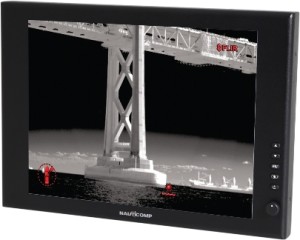
How to Choose Monitors That Reduce Eye Strain?

Posted on: October 25, 2021

Display Monitors

Eyestrain is a fairly common condition amongst office workers everywhere. Staring at a computer screen for long hours on end while you work can put a great deal of strain on your eyes, causing them to feel dry, tired, and watery. This is an extremely uncomfortable condition, but it can be remedied by replacing your current computer screen with one of the best eye care and anti-glare monitors for poor eyesight on the market.


What Is Digital Eyestrain?


Digital eyestrain, also known as computer vision syndrome, is a condition that affects approximately 75% of people who spend eight hours or more working in front of a computer or other digital device. After a while, eyes can start to feel fatigued, dry, and even teary. Digital eyestrain can temporarily affect your vision, making it out of focus and hard to see.


Doing simple eye exercises throughout the day can help. Try rolling your eyeballs in different directions, then look to the left and right without moving your head. Lastly, take a few minutes here and there to look away from your screen to give your eyes a bit of a break.


You should also consider investing in commercial or industrial display monitors that include specific features to protect your eyes.


What Features Do the Best Eye Care and Anti-Glare Monitors Have?


The best eye care and anti-glare monitors for poor eyesight should have either some or all of the following features:


Flicker-free monitors


Monitors contain LED backlights to evenly distribute light throughout the screen for ultimate visibility. These lights turn on and off rapidly, sometimes causing the screen to flicker, which forces the eyes to work harder to see what’s on the screen and leads to eye fatigue, headaches, and strain. Flicker-free monitors provide a flicker-free viewing experience by dimming screen brightness to reduce eyestrain.


Curved monitors


With a wider field of view, longer viewing angles, and lower distortion levels, curved monitors effectively reduce eyestrain and make it easier for users to view onscreen text and images.


Ergonomic design


Monitors with an ergonomic design can be adjusted according to the height and field of vision of each individual user to reduce neck, back, shoulder, and eyestrain.


Blue light filters


Blue light is a short wavelength high-energy light. It’s one of the main aspects of the visible light spectrum that the human eye can detect, and it’s typically emitted from computer monitors. It can exponentially increase eyestrain and fatigue, which is why a lot of modern industrial computer monitors and displays have a built-in or add-on blue light filter.


Anti-glare panel


Screen glares or reflections force you to strain your eyes in order to see what’s on the screen better. Built-in anti-glare panels or filters eliminate onscreen reflections so that you don’t have to squint or strain your eyes and can comfortably view the screen.


Monitors with IPS panels


There are several types of IPS panels on the market including S-IPS, H-IPS, AHVA, and Super PLS. All of them offer exceptional eye protection to varying degrees.


Get the Latest Advanced Industrial Display Monitors


If reducing eyestrain and discomfort is one of your top priorities for your employees and customers, then you need a state-of-the-art commercial or industrial display computer monitor from Nauticomp Inc. We supply a number of high-tech, durable, and easy-to-use digital displays to retail outlets, offices, medical facilities, and even for military and Marines use. Contact us for more information.

Different Types of Touchscreen Monitors and Displays

Posted on: October 14, 2021

waterproof touchscreen monitor

Touchscreen monitors and displays have become such an integral part of our daily lives that even though we would once marvel at the technology behind them, they’ve now become commonplace.


Laptops, smartphones, self-checkout kiosks, tablets, ATMs, etc. all have touchscreen technology built into them. Some of these touch panels are more ruggedly designed than others to withstand all kinds of indoor and outdoor use. Yet, they each offer unique performance value depending on the application.


How do you know which touch monitor types are best suited for your needs? Start by learning about all of the different commercial and industrial computer monitors in this article.


What Are Rugged Touchscreen Panels and Monitors?


Touchscreen displays consist of several internal mechanisms that make it possible to control and perform actions on the screen with a simple touch of the screen. Although they’re all unique in their own right, the rugged touchscreen displays mentioned in this article all share three common components that activate touchpoints all along the surface of their screens:


  • Internal touchpoint sensors
  • Responsive control mechanisms
  • Device drivers


Types of Touchscreen Monitors 


Resistive Touchscreens


As one of the most commonly used touch monitor types, resistive touchscreens are often built into smartphones, automotive navigation devices, various medical equipment, self-checkout kiosks, in-flight entertainment devices, and so much more. Resistive touchscreens consist of two sheets of flexible transparent material that are coated with a resistive film with air gaps in between that recognize and respond to various touchpoints on the screen. 


Infrared Touchscreens


Infrared touchscreen displays consist of light emitting diodes (LEDs) and sensors that are held together by a protective bezel. Sensors instantly identify touchpoints on the screen when animate or inanimate objects such as a finger or pen make contact. Touchpoint coordinates are then delivered to the internal controller, which performs the desired action. 


Optical Touchscreens


Optical industrial displays, commercial monitors, and panel mount displays incorporate the use of infrared touch technology. Infrared sensors just below the surface of the screen produce continuous light beams that scan the screen. When that light beam is interrupted at a certain touchpoint on the screen, the internal mechanisms recognize the touch location and immediately perform the action. Optical screens can respond to conductive and non-conductive objects. 


Capacitive Touchscreens


Capacitive touchscreens are prevalent in a lot of industrial applications and can only be operated with conductive objects, which means they require direct skin-to-screen contact. Using an electrostatic charge upon contact, data is immediately delivered from the touchpoint to the touch control panel to perform specific functions. 


SAW Touchscreens


Surface Acoustic Wave (SAW) touchscreens consist of a reflector and two transducers on the surface of the glass. SAW touchscreens can be used with a stylus pen or gloves. Waves bounce off of the reflector and delivered to the transducers to provide actionable instructions when a touch is detected. 


Projected Capacitive Touchscreens


Projected capacitive touchscreens can be operated with conductive and non-conductive objects such as a bare finger or gloves. Multi-touch activation is also enabled thanks to the three dimensional electrostatic field inside the display that’s created by a combination of a sheet of glass that contains transparent electrode films and an IC chip, which is entrenched within it. 


Nauticomp Inc. is one of the leading designers and distributors of state-of-the-art rugged touchscreen stand alone and panel mount displays that can be used for a variety of commercial and industrial applications. Contact us today to learn more about our products or to place an order.


Guide for Buying Rugged Industrial Monitors and Displays

Posted on: October 4, 2021

night vision displaysRugged LCD displays and monitors need to be able to withstand a wide range of internal and external contacts that vary in intensity. Due to the various harsh conditions that these devices are subjected to on a regular basis, they should be equipped with a variety of protective and performance-enhancing physical features that guarantee their continued functionality even when faced with rough conditions and usage. Read this guide for some useful tips on what features to look for when selecting a rugged LCD touchscreen monitor for specific industrial applications.
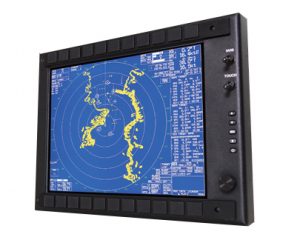
Why Choose Rugged Displays and Monitors in the First Place?

The types of LCD displays you purchase depend largely on the nature of the applications for which you’re planning on using them. Rugged LCD displays have unique features that make them the most suitable and logical choice for usage in extreme environmental conditions. Extreme environmental conditions don’t necessarily mean outdoor usage—although, that’s certainly included.

They can include dangerous or life-threatening situations during which the displays will be exposed to direct or indirect shock, vibrations, harsh usage, and extremely low or high temperature fluctuations. Industrial display monitors are specifically designed to function in these types of conditions without interruption, even when they sustain a few minor damages.

Factors to Consider when Purchasing Rugged LCD Monitors and Displays

Sunlight Readability

Sunlight readability is an essential feature for any industrial display monitor or rugged touchscreen because it allows the screen to be perfectly visible in all lighting conditions. Many screens even have built-in features that automatically adapt the brightness levels based on the natural or lighting conditions. 

Outdoor Usability

Industrial rugged Marine displays are typically designed with “all-weather” capabilities that make them resistant and impervious to a variety of environmental conditions that are beyond the control of the user. Extended operational temperature ranges, dimmable capabilities, optically bonded glass, and capacitive or resistive touchscreen options are all available to meet various application requirements.

Adaptable Screen Capabilities

Screen adaptability can make a big difference when completing particularly risky or dangerous missions. Manufacturers typically offer a wide range of customization options to make optimal usability more accessible for users of all technological and physical capacities. Adaptable industrial screens, monitors, and displays are crucial for aiding in the successful completion of a mission or task by providing flexible visibility, angles, and usage options.

Advanced Touchscreen Capabilities

Given the fact that Marines are usually wearing protective tactical gear that sometimes include heavy-duty gloves, it’s important to have options in terms of the type of touchscreen capabilities that are featured in their industrial display monitors. Resistive touchscreens are the ideal choice for this type of environment because they allow the user to wear gloves while operating the display. 

Screen Hardening

As mentioned, industrial display monitors are frequently subjected to harsh weather conditions, including extreme cold and heat. Cold temperatures can cause the external chassis and other hardware to harden. Under these conditions, commercial monitors would show advanced signs of wear and tear or start to crack. Industrial displays, however, are perfectly capable of withstanding these extreme conditions without so much as suffering a hairline fracture. 

Warranty

Considering the harsh conditions that rugged Marine displays are constantly exposed to, manufacturers and distributors usually offer extensive warranty options that go well beyond the typical manufacturer’s defect warranties. 

Get Rugged LCD Touchscreen Displays from a Trusted Distributor

When it comes to rugged LCD displays and monitors in North America, there’s only one name that’s synonymous with high quality and reliability—Nauticomp Inc. Over the past 20+ years, our engineers have cultivated the art and science behind designing some of the most advanced rugged Marine and military displays on the market. Contact us today to learn more about our products or to place an order.

What You Should Know about Sunlight-Readable LCD Displays ?

Posted on: September 15, 2021

hammer series rugged displaySunlight readable LCD displays and screens are useful for a wide range of outdoor recreational, professional, and industrial applications. Rugged LCD displays are also suitable for high stakes military and marines operations. These state-of-the-art devices feature durable chasses along with enhanced screen visibility and readability in all natural or ambient lighting conditions. Standard screen displays that lack a sunlight readability feature can be difficult to read in extremely bright lighting conditions. Shadows and reflections cast on the screen block out the images and text, which diminishes the viewing experience and usability. Read on to learn about why sunlight readable LCD screens are the superior choice for virtually every outdoor application.

What Are TFT Rugged LCD Displays?

TFT and LCD stand for thin-film-transistor and liquid crystal diode, respectively. Every screen consists of an LCD panel that has multiple layers. These layers work together to illuminate the screen and present specific images and actions that are performed by the user.

Right now, you’re staring at an LCD panel, reading this article. Inside the LCD panel are numerous TFT LCD colour pixels that are each made of a red, green, and blue rectangle. These are miniature lenses that can be adjusted in size and clarity based on the amount of light that passes through them. Colour intensity on the screen can be magnified or minimized based on the quality and strength of the backlighting mechanism. Backlighting is composed of a series of LEDs (light emitting diodes) that produce a white light which is projected through the LCD pixels to display images on the screen.

What Makes a Display Sunlight Readable?

Sufficient backlighting is the main component that gives commercial and industrial LED displays their sunlight readable capabilities. As long as the backlighting LEDs produce more bright light than the natural or environmental setting, then the images and texts on the screen will be viewable. Brightness settings can be manually and automatically adjusted on sunlight readable screens to make them fully visible and usable in both indoor and outdoor settings and a range of lighting conditions.

Are Sunlight Readable Displays Dimmable at Night?

Yes, most modern sunlight readable displays are dimmable in darker lighting conditions to improve visibility and usability. Dimming the screen at night or in dark environments also helps preserve and extend the lifecycle of the backlighting mechanism. Many newer modules are even equipped with automatic dimming capabilities that are programmed to adjust to current lighting conditions.

What Type of Applications Are Sunlight Readable Displays Used for?

Sunlight readable displays are suitable for pretty much any indoor or outdoor applications and environments that are exposed to excessive natural or ambient lighting conditions. They’re typically used for laptops, smartphones, tablets, POS systems, digital displays, and industrial equipment to make for easy screen visibility for all uses. 

Buy a Sunlight Readable LCD Screen from Nauticomp Inc.

Nauticomp Inc. specializes in distributing custom-tailored state-of-the-art sunlight readable LCD displays that can be used for a variety of indoor and outdoor recreational and professional applications. Designed to withstand the harshest environmental conditions, our products set the global standard for technological engineering excellence. Contact us today to learn more or to place an order.