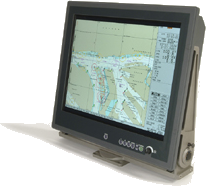
Rack Mounted Displays Suitable for Submarines

Posted on: December 14, 2022

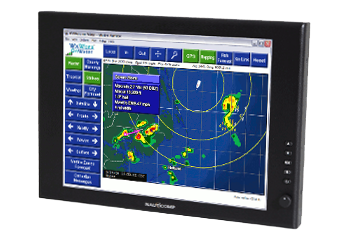
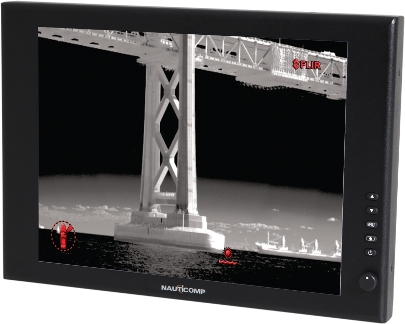
A rack mounted display is a type of computer monitor or display specifically designed to be mounted in a standard 19-inch rack. This type of display is often used for various technology-intensive environments, such as in data centers, network operations centers, and industrial control rooms. In the case of submarines, a rack mounted display can provide a compact and rugged solution for displaying important information and data to the crew.

One of the key benefits of using a rack mounted display in a submarine is that it allows for the efficient use of space. Because submarines are typically cramped and have limited room for equipment, a panel mount display can be a great way to conserve space while still providing the necessary information to the crew. Additionally, rack mounted displays are often designed to be rugged and durable, making them well-suited for use in the challenging environment of a submarine.

Another advantage of using a naval mount is that it can be easily integrated into the existing systems and equipment. For example, a marine LCD monitor can be easily connected to the submarine’s computer systems, allowing the crew to access critical information and data in real time. Additionally, rack mounted displays can often be configured and customized to meet the submarine’s and its crew’s specific needs.

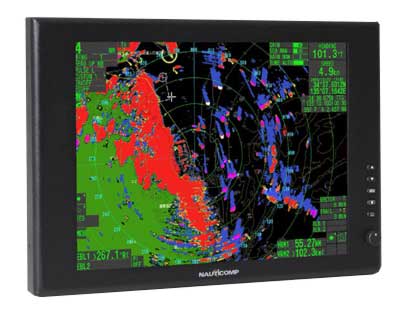
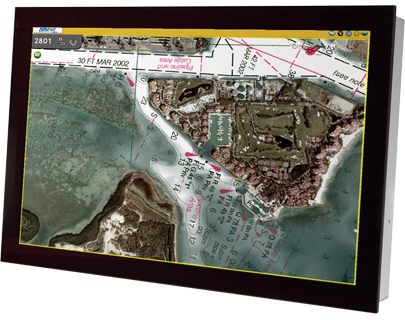
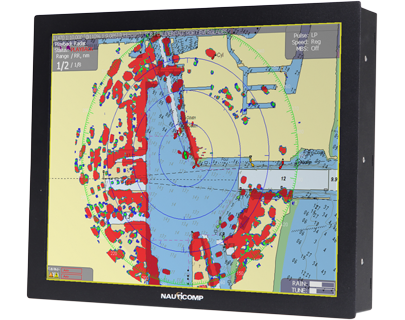
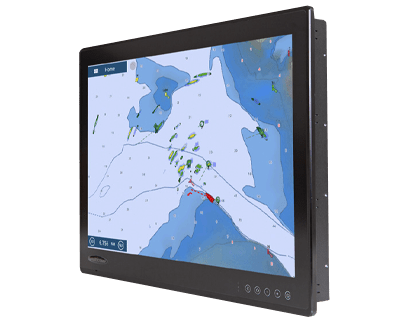
Here’s a look at some of Nauticomp’s marine monitors.

Titan Commercial-Grade LED Displays
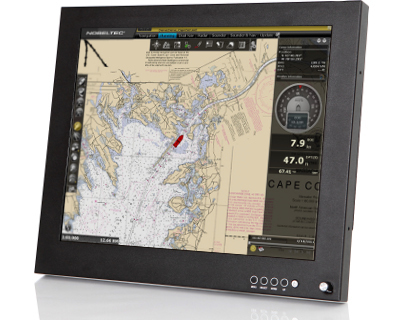
Titan Commercial Grade LED Display

Titan commercial-grade displays are now available at a price that won’t break the bank. Our different sizes and formats of flexible displays combine state-of-the-art features with user-friendliness, such as daylight readable LED backlight technology and multiple inputs. This product is well-designed for today’s professional customers, with several video inputs/outputs, speakers for audio alarms, and a potentiometer for total dimming to black—all housed in sturdy housing.

Displays from the Titan Series have proven reliable for years, inspiring faith in their wide audience; they are also type-approved and ready to be integrated into your IMO bridge systems.

[button link=”https://nauticomp.com/commercial-displays/titan-commercial-grade-led-display/” size=”large” target=”_blank” color=”orange”]Learn More[/button]

Genesis Series DisplaysGenesis Series marine display
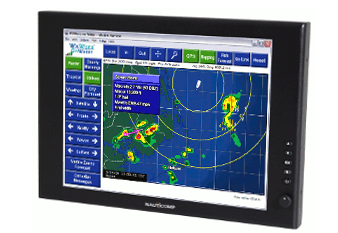
The Genesis series is a cost-effective marine LCD monitor that is waterproof. The 15″ and 19″ monitors include extremely efficient LED backlight technology and 2 inputs (1 DVI and 1 VGA) that combine state-of-the-art hardware with user-friendliness.

With this product, the customer may fit a larger display into a smaller area while still using Nauticomp’s well-known dim-to-red technology and sleek case design.

[button link=”https://nauticomp.com/outdoor-marine-displays/genesis-series-displays/” size=”large” target=”_blank” color=”orange”]Learn More[/button]

Signature II Series DisplaysLED Backlight Technology
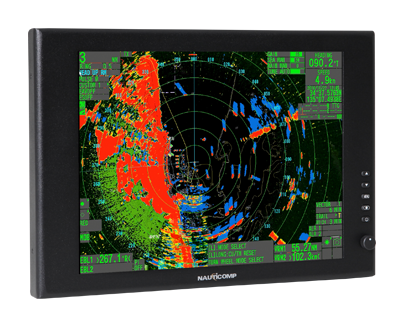
Displays from the Signature II Series are a reliable and cost-effective option for the Navy and the armed forces. The Signature II displays incorporate all the state-of-the-art technology available today, focusing on user-friendliness. This includes the latest in energy-efficient LED backlight technology. This newly redesigned device features our well-known dim-to-red technology on all inputs.

With today’s slimmer case design, users can fit a bigger screen into a smaller area, and a dial lets them adjust the screen’s brightness and contrast on the fly. The Signature II Series’ continued success is mostly because the 15″ and 19″ versions have three inputs: one DVI, one VGA, and one composite.

[button link=”https://nauticomp.com/outdoor-marine-displays/signature-ii-series-displays/” size=”large” target=”_blank” color=”orange”]Learn More[/button]

Nauticomp Passed Ingress Protection (IP) Testing
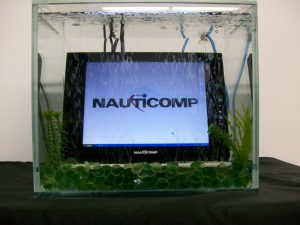
Nauticomp To Demonstrate Marine LED Display Waterproof Test

The degree to which electrical equipment is protected against the intrusion of solids and liquids is known as its ingress protection. There are two numbers for every IP rating. The first value indicates the object’s resistance to penetration by solids, from complete vulnerability to protect against dust particles. The second rating is for how well it holds up against liquids, from completely defenseless to completely impervious.

All Nauticomp displays are built and tested to an ingress protection level (IP) of 67. The 6 means the device is dustproof, while the 7 means it can be submerged in water for one minute at a depth of one meter. The display cases are completely impermeable because of how the aluminum housings are welded together inside.

Nauticomp maritime displays and their associated cables and connectors are built to an IP68 standard, the second number indicating that they can be submerged to a depth of three meters indefinitely.

Rack Mounted Display Installation Process/Guide

  • Attach the four VESA mount PEMS to the back of the screen to create the ‘Ram mount.’
  • Unscrew the massive wing nut and slide the ‘Ram mount’ arm over the pedestal ball to attach it to the bracket.
  • Nauticomp’s power supply requires input voltage wires (1) to be connected to the ship’s power supply (either 12, 24, 36 VDC, or 110 VAC, depending on the order). A positive input terminal is indicated by a red wire, while a black wire indicates a negative terminal. Make sure all connections are snug.
  • Join the screen’s power cable (2) to the wall outlet. Use the positive output terminal for the red wire and the negative terminal for the black wire. Make sure all the plugs are securely tightened.
  • Turn the connector so the LTW logo is not visible in the screen’s field of view. Connectors can be made more secure by pressing in and turning them in a clockwise direction. All the LTW round-ended cables should be treated similarly.
  • To check for a solid connection, gently tug on each cable.

Nauticomp Inc. provides world-class fully customizable touchscreen displays for commercial and industrial settings. With features like sunlight readability, brightness adjustability, infrared lighting, full backlighting, all-weather capabilities, etc., our displays are second to none. Contact us today to learn more.
Rugged LCD Displays for Air Traffic Control

Posted on: December 7, 2022

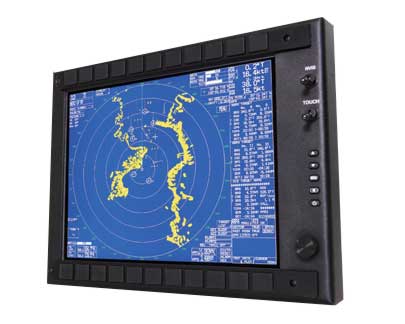
Air traffic control ensures safe and efficient flight in modern aviation. Air traffic controllers utilize LCD displays to track an aircraft’s position and movement. However, intense heat and vibration in air traffic control can strain on typical LCD panels, causing failures and downtime.

Air traffic control requires rugged LCD displays to withstand harsh environments. In this article, we will explore the critical features of military LCD displays and their importance for air traffic control.

Air Traffic Control LCD Displays

Air traffic controllers need industrial display monitors for real-time airplane tracking. Controllers can view detailed information on these big, high-resolution monitors. Some key features of air traffic control LCD displays include:

  • High-resolution
  • Brightness
  • Ruggedness
  • Multitouch capability

Why Air Traffic Controllers Need Rugged LCD Displays

Requires Close Monitoring

Air traffic controllers require durable LCD screens since they work in a high-stress setting. A robust LCD display lets air traffic controllers view several sources of information. In addition, the LCD technology makes the display easy to view and sturdy enough to resist workplace shocks and jostles.

Offers Operators Exceptional Readability/Visibility

Industrial displays with high brightness and wide viewing angles are suitable for air traffic control, where light levels may vary, and numerous angles must be seen.

Touchscreen Rugged Displays

Air traffic controllers may need durable LCD screens with touchscreen capabilities for many reasons. First, touchscreen displays can help controllers input data and make selections in a fast-paced work environment. Second, touchscreen screens bring interaction, allowing controllers to access and control information in new and potentially more efficient ways.

Sunlight Readability

Air traffic controllers work in wide windows or outside control towers, making reading displays difficult. A robust LCD display with sunlight readability can overcome these problems by displaying crisp and easy-to-read information in bright light.

Dust and Liquid Ingress Protection

Dust, grit, and other particles in the air pose a risk to sensitive electronic equipment where controllers frequently work. Protecting the equipment from dust and liquid penetration with a tough LCD display is vital for maintaining proper and reliable operation.

Anti Shock and Durable

A rugged LCD display designed to resist shock and vibration can help protect the equipment from these potential sources of damage, ensuring that it continues to function properly and reliably.

Anti-Reflection and Anti-Glare Feature

In an air traffic control room, where light levels vary, and a clear vision from numerous angles is needed, rugged LCD displays with these qualities sometimes have special coatings to reduce glare and reflections.

Weatherproof

Air traffic controllers work in outside control towers where equipment is exposed to rain, snow, and harsh temperatures. A waterproof, rugged touchscreen can protect the equipment from these possible causes of harm, ensuring it works properly and reliably even in extreme weather.

Nauticomp’s Rugged LCD Displays

Hammer Display

Hammer Series NVIS Displays

The rugged displays from the Hammer Series are widely regarded as some of the best in the world for use in combat situations requiring the display of critical information. In addition, these screens simplify the lives of today’s technically savvy soldiers by including features like the ability to read them in both low light (NVIS) and bright sunlight.

[button link=”https://nauticomp.com/commercial-displays/hammer-nvis-displays/” size=”large” target=”_blank” color=”orange”]Learn More[/button]

Genesis Display Series

Genesis Series

The brand-new economic Genesis Series is now available. Our 15″ and 19″ screens combine state-of-the-art technology with user-friendliness, thanks to features like extremely efficient LED backlight technology and two inputs (1 DVI and 1 VGA). In addition, our dim-to-red technology and slim case design allow users to fit a larger display into a smaller space.

[button link=”https://nauticomp.com/outdoor-marine-displays/genesis-series-displays/” size=”large” target=”_blank” color=”orange”]Learn More[/button]

HD-SDI Rugged Monitors

HD-SDI Rugged Monitors

Nauticomp’s HD-SDI Series of durable, sunlight-readable monitors is widely utilized by government organizations, the Navy, Coast Guard, and the Army worldwide. This robust monitor features the finest image and most inputs. The HD-SDI series is ideal for tough information display with its versatile inputs and outputs, deep dimming, and broad viewing angle.

[button link=”https://nauticomp.com/commercial-displays/hdsdi-display/” size=”large” target=”_blank” color=”orange”]Learn More[/button]

Why Choose a Rugged LCD Display from Nauticomp Inc.?

Nauticomp Inc. is a global leader in rugged LCD display manufacturing. We create unique displays that meet and surpass your industry’s standards. We have the correct technology for various industries, ranging from air traffic controllers to military personnel and restaurant owners. Contact us today to learn about our company and products.

How to Prevent or Repair LCD Display Screen Burn-In

Posted on: November 23, 2022

Ever notice a partial discoloration of text or image across the screen of your monitor? This can be annoying, especially when the monitor is an industrial display used to help your business.

These unpleasant discolorations are known as screen burn-in. In this blog post, we will discuss how to prevent and recover from LCD monitor screen burn-in.

What Is LCD Display Burn-in?

LCD display burn-in, also known as ghost image or image sticking, is the retention of the previous image on the screen even after you’ve swiped the screen. LCD burn-in happens on an LCD screen when pixels cannot return to their relaxed condition after a static image shows on the screen for an extended period.

Differences between Image Retention and LCD Burn-In

Technically, these are two different things. Image retention occurs when your display swiftly shifts from one image to another. For example, image retention occurs when you briefly notice the “shadow” of the first image in the second.

LCD monitor screen burn-in is the permanent version of image retention. Screen burn-in occurs when an image is shown on a screen for so long that it may still be seen after the screen is off. LCD burn-in happens when some sub-pixels have remained so brilliant for a very long time that they are unable to go back to their initial state. They always produce a “ghost” image because they are inherently “stuck” in a non-neutral state.

What Causes Image Persistence in LCD Monitors?

When pixels stay in the same place for an excessively long time before switching to another position for a brief period, this can lead to LCD monitor burn-in. In addition, when an image is displayed on a screen excessively, the liquid crystal material in the LCD panel becomes polarized. As a result, it develops into a permanent discoloration known as LCD display burn-in.

Can you Prevent or Repair Screen Burn-in in LCD Monitors?

Image persistence on LCD screens is avoidable and can be corrected. There are several ways to prevent or repair screen burn-in in LCD monitors, which include the following:

Screen Burn-In Prevention

  • Use a rotating screensaver that moves images to prevent leaving any area of the screen light for too long
  • When not in use, turn off the monitor
  • It’s best to change the background frequently to prevent picture persistence
  • Set your display to turn off after a few minutes of inactivity. This way, you can avoid images appearing on your screen for too long.

Screen Burn-in Recovery/Repair

  • Turn off the display for a few hours
  • Use a rotating image screensaver and leave it running for a while
  • Use a white screensaver for an extended period, forcing the crystals to reset at a single-color setting.

Contact Us to Learn More About Our Industrial LCD Displays

Nauticomp Inc. is dedicated to providing superior customer service through product innovation, quality, and customer support. Our entire line of high-performance rugged displays is at the forefront of leading-edge display technology.

With Nauticomp Inc., we will solve all your LCD display problems! Contact us today to learn more about our industrial LCD displays.

How Can You Enhance Defense Mission Performance with Rugged Military LCD Displays?

Posted on: November 16, 2022

When it comes to the military, lives are always on the line. The greatest intelligence and equipment are required for diverse military teams to succeed on a specific mission. And it’s no longer an assumption that military men are expected to be rugged at all times—day and night. Therefore, they need rugged devices to help them perform their duty. One of these devices is the rugged military LCD display.

A rugged LCD display can operate in any weather condition you might think of, be it heavy rainfall, intense brightness and darkness, shocks, and vibration. With a rugged LCD display, you will have a high-resolution image and clear night vision to enhance a timely, completed, and safe mission. If you are a military personnel, sit back as we journey into how you can enhance your defense mission performance in this post.

Why Do Military and Defense Personnel Choose Rugged Displays over Regular Monitors?

  • Rugged LCD Displays are built to withstand the worst conditions so that you can rely on them in extremely cold temperatures, moisture, and dark and light environments. They always function to the highest standards in any project.
  • It is the most durable technology created to fulfill your requirements.
  • Rugged military LCD displays are designed to fulfill all military specifications.
  • Our entire line of high-performance rugged displays is at the forefront of leading-edge display technology.

Defense Rugged Displays Checklist

Here are some important elements you need to look out for in a rugged defense display.                                                                 

LED Backlights

In daytime lighting settings, an LED backlight offers improved illumination that ensures perfect visibility and balances intense illumination. Backlights are used in low light conditions to help increase readability. The LED monitor uses light-emitting diodes for the backlight. An LED backlight is very important because it affects the quality of an image.

PCAP Touchscreen

Projected Capacitive Touchscreen (PCAP) is an advanced touchscreen with specialized coatings and films for increased optical performance, making them ideal for industrial or commercial applications. The use of PCAP, the newest touch sensor technology, has improved and aided in the evolution of devices. It has a touchscreen with a high resolution, quick response time, and an intuitive interface.

NVIS Support (Night Vision Imaging System)

NVIS is designed to enhance safe night missions. Every display used by the military has to be visible and dependable at night. NVIS is required for use in military applications. When interpreting light into objects that are far away and that you normally can’t see with your eyes alone, you can rely on NVIS.

Must Comply with MIL-STD (Defense Standard)

Military Standard (MIL-STD) is a set of environmental tests performed on rugged military materials under various harsh climatic and dynamic circumstances, including intense heat and cold. This is to ensure every military product meets the requirements for being field-ready.

Defense LCD Display Certifications and Requirements

Our military displays meet every requirement that makes them fit for field use such as:

IEC609945 Standards

Our defense monitors are made in accordance with IEC609945 standards, which means that they adhere to the International Electrotechnical Commission’s requirements for electrical, labelling, performance, and test procedures for electrical and electronic devices.

IP67/68 Rating

Our displays meet the IP rating, indicating that all our products satisfy waterproofness, dust, and water resistance requirements. This standard is established by the Ingress Protection Code (IP Code) IEC standard 60529. Each finished product is put through testing to see if the material is resistant to moisture and other raw materials like sand and dust before it can be approved for use. 

MIL-STD 810

Every rugged display goes through the MIL-STD which is majorly designed for the military. The U.S Department of Defense employs MIL-STD810 to achieve its predetermined goals. This is done to make sure that every product complies with the standards necessary to qualify as a military-grade.

Nauticomp’s Rugged LCD Displays Designed for Defense Operations

At Nauticomp, we carry the following military-grade displays.

Rugged Military-Grade Hammer Display

hammer series Display

The most durable military-grade LCD is the hammer display, as it can deliver great performance under adverse environments. For today’s military, missions are made easy by the Night Vision Imaging System (NVIS), which has multiple backlighting settings. It is a rugged technology with features like waterproofness and sunlight readability that provide image clarity, high shock resistance, touchscreens, and military-grade NVIS. It also has the ability to accommodate multiple display sizes and can be entirely dimmed to black. This military-grade Hammer Display comes with a three-year warranty.

[button link=”https://nauticomp.com/commercial-displays/hammer-nvis-displays/” size=”large” target=”_blank” color=”orange”]Learn More[/button]

Genesis Display Series

Genesis Series

The Genesis Display series comes with highly efficient LED Backlight Technology, 1 DV1 & 1 VGA. It provides a rugged and economical solution for both marine and military applications. It is sunlight readable for all environments, waterproofed, and has an extended temperature range on the 15” model. Deep dimming is guaranteed from -0 to 100% via a potentiometer.

[button link=”https://nauticomp.com/outdoor-marine-displays/genesis-series-displays/” size=”large” target=”_blank” color=”orange”]Learn More[/button]

Centric GB Displays

Centric GB Displays

The Centric Glass Bridge (GB) is designed by high-tech captains for rugged usage. It has the look and feel of an authentic glass bridge, meeting the demands of commercial and recreational vessels alike. It is also functional with multiple inputs, including DVI, VGA, NTSC/PAL, and S-Video. It features a compact remote that allows up to five monitors to be controlled from a single keypad.

[button link=”https://nauticomp.com/commercial-displays/centric-gb-displays/” size=”large” target=”_blank” color=”orange”]Learn More[/button]

Why Choose Nauticomp as Your Defense LCD Display Manufactures?

Nauticomp Inc. is a leading supplier of military LCD monitors, defense monitors, and waterproof defense monitors for maritime and military applications. Nauticomp Inc. is at the forefront of display technology in terms of customer service and support, product innovation, ruggedness, and high performance.

We design the most durable, capable, and adaptable monitors to meet your demands in any environment or application. We also offer a one-year warranty as a guarantee that our displays are the most durable and high-performance versions available. Contact us today for more information.

How to Choose the Best Displays for Your Boats and Yachts

Posted on: October 26, 2022

You need to be strategic when choosing the best displays for your boat because your needs will heavily influence the display and other tools you use on your boats and yachts. Almost every ship or boat requires one or more marine displays, from ships to towboats, yachts, dredging equipment, cruise liners, rowboats, and commercial fishing boats.

There are numerous options to choose from when purchasing displays for your boats and yachts, because, as mentioned above, there is no one-size-fits-all for every boat or yacht.

What Is a Marine Display?

The navigation system screen, controls, information, and entertainment are all displayed on marine displays. They also improve visibility of many other systems on your boat, including navigation data, chart charting, radar, sounder, and sonar systems. Displays can also be used for dockside entertainment, web surfing, and movie screenings to keep guests and children entertained.

However, unlike other outdoor LCDs, outdoor LCD monitors used on marine vessels have various problems, such as the ability to read in bright sunlight, corrosive saltwater and air, and shock/vibration.

Say “No” to Regular Computer Monitors

The marine environment is harsh, wet, and sunny, with a high level of shock and vibration. Marine monitors are designed to thrive in this environment, but the extensive design process is required and makes them expensive.

Using the best marine display is one of the best investments when using a boat or yacht. Marine monitors can be costly, but they are worth the money you save when your regular computer monitor gets washed out in the sun or is killed by moisture on a rainy afternoon. Many boats and yacht owners mistakenly believe they can get by with regular computer monitors rather than investing in quality marine monitors that will save them the hassle of having to replace them whenever they get damaged.

Important Features to Consider in Boats or Yacht Displays

When purchasing a yacht display for your boats, there are essential things to consider, such as whether the display has a multifunctional display or not and its readability in the sun, among other things.

Typically, marine displays are only used for navigation. If you want a multifunctional display (MFD), you should buy one with the particular functionality you need.

1. Indoor and Outdoor Use:

LCDs designed for outdoor use can withstand the harshest weather conditions. They are sunlight readable, highly versatile, and have a high brightness capability to combat all levels of natural and artificial lighting. Indoor displays, on the other hand, simply do not have the same brightness capabilities as outdoor displays.

2. Sunlight Readability:

Sunlight readability refers to how well you can read a display in bright light, such as direct sunlight. The use of optically bonded glass can increase sunlight readability by up to 400%. Boats and yacht displays made of optically bonded glass can effectively reduce glares, reflections, and washed-out screens, enabling visibility in daylight.

3. Night Vision (NVIS) Compatibility:

Check if your display is compatible with night vision goggles and has LED backlights.

4. Touchscreen Monitors:

The touchscreen is not a part of the display but is attached as a separate layer. Touchscreens absorb some of the display’s brightness. Capacitive is more sensitive but less effective when wet and does not function at all while wearing gloves. Resistive can be used with gloves and withstand some water on top, but it requires more pressure and is less accurate.

5. IP Rating:

The mechanical and electrical enclosures’ level of protection against infiltration, dust, accidental contact, and water is categorized and outlined by the IP code, which also serves as a general guideline to consumers. Make sure that your display is durable and weatherproof. Marine environments can damage electronics, so get a display that can survive harsh weather.

6. Screen Size:

The bigger the display on a boat or yacht, the better the experience because it allows you to see more information, such as the chart plotter, radar, or fish finder.

Regardless of whether you mount your devices flush or on brackets, try to install the most significant screen(s) you can get on your boat or yacht. Cutting corners on displays is an unwise form of saving money, and boat/yacht owners and captains are learning to avoid it.

Nauticomp’s Marine Displays for Boats and Yachts

The following are the available marine displays for boats and yachts at Nauticomp.

Glass Bridge Elite

glass bridge display

The following are the unique features of Glass Bridge Elite. You can read more about our Glass Bridge Elite here.

  • High brightness, deep dimming
  • Quick access, membrane under-glass controls
  • Optically bonded, glare resistant, multi-touch glass
  • Marine compliance, ABS, IEC60945, IEC 61174, & IEC 62388
  • Easily remote controllable/integrate control into your on-board system

[button link=”https://nauticomp.com/outdoor-marine-displays/glass-bridge-elite/” size=”large” target=”_blank” color=”orange”]Learn More[/button]

Signature II Series

LED Backlight Technology

The Signature series has been updated with the following unique features:

  • Sunlight readable and ready for all environments
  • Waterproof and built to stringent IP 67 standards
  • Bonded glass optically enhanced for clarity
  • Multiple Inputs, including DVI, VGA, NTSC, PAL, SEC AM
  • Deep Dimming from 0 to 100% via “Potentiometer.”
  • Superior Image and scalable resolution up to SXGA
  • LED Backlighting that reduces power draw at all levels
  • Extended temperature range on 15” models
  • Picture in picture, designed to display ALL inputs

[button link=”https://nauticomp.com/outdoor-marine-displays/signature-ii-series-displays/” size=”large” target=”_blank” color=”orange”]Learn More[/button]

Genesis Series

Genesis Series marine display

The Genesis series has the following unique features. Check here to learn more about Genesis series.

  • Sunlight readable and ready for all environments
  • Waterproof and built to stringent IP 67 standards
  • Bonded glass optically enhanced for clarity
  • Multiple Inputs, including DVI and VGA
  • Deep Dimming from 0 to 100% via “Potentiometer.”
  • Superior Image and scalable resolution up to SXGA
  • LED Backlighting that reduces power draw at all levels
  • Extended temperature range on 15” models

[button link=”https://nauticomp.com/outdoor-marine-displays/genesis-series-displays/” size=”large” target=”_blank” color=”orange”]Learn More[/button]

Contact Nauticomp to Learn More About Our Rugged Marine Displays

Nauticomp Inc. is known for designing, manufacturing, and selling high-end marine displays. We have been in operation for over 25 years, so rest assured you will get the best solution that caters to your needs. Contact us today to learn more about our products.

Learn About the Industrial LCD Display Screen Size and Aspect Ratio

Posted on: October 24, 2022

The actual size of the space where images and videos are projected is called the screen display size. This is often referred to as the viewable image size. The aspect ratio refers to the proportion of width to height, while resolution refers to the number of pixels in each direction.

Read on to learn more about how display and screen size affects performance.

How Does Display Screen Size & Aspect Ratio Affect Performance?

Different businesses have unique computer hardware requirements. The two most important factors for optimal performance are display screen size and aspect ratio.

When selecting a display screen size, there are some things to know, considering the software that will be used on it and the type of projects that could be done. This is to ensure you can efficiently run programs that require a larger display screen and a higher resolution or projects that require a particular ratio for the best performance.

What Is the Difference Between Screen Size and Resolution?

The term “screen size” describes the display’s actual size. It is calculated from corner to corner across the screen, that is, top left to bottom right or bottom left to top right.

However, the screen’s number of pixels (individual dots) is from left to right as a measure of resolution. A typical 1920×1080 (1080p) screen resolution has 1920 pixels running the length of the screen from left to right and 1080 pixels running the screen’s height.

What Is the Best Rugged LCD Display Screen Size?

When it comes to selecting the best-rugged LCD display screen size, there is no one-size-fits-all solution. There are several factors that must be considered. Consider the uses, budget, and functions when selecting the best rugged LCD Display screen size for your industry.

We’ve outlined three screen sizes and will go over their specifications.

1. Small Screens – Up to 7”

  • Its small size makes it portable
  • Less expensive

2. Medium Screens – From 7.1” up to 13.5”

  • Better flexibility when connected to other hardware
  • Larger display size
  • More internal space

3. Large Screens – From 13.6” and up

  • Capacity to run complex software
  • Large screen
  • Can easily use command control mapping or 3D navigation software

What Is LCD Display Aspect Ratio?

The LCD Display Aspect ratio is 16:9.

1. Widescreen Aspect Ratio

The aspect ratio of the widescreen monitor is 16:9. This makes it perfect for high-definition video signal display and standard definition.

2. Standard Aspect Ratio

Standard aspect monitor refers to computer displays with the old-style 4:3 aspect ratio that was more common in TVs. However, the term “standard aspect ratio” is misleading because the wider 16:9 aspect ratio is now the new standard for PC monitors.

Difference between 4:3 and 16.9 LCD Monitor Aspect Ratio

The difference between the two is that the 16:9 ratio has a larger display and allows for more information horizontally.

1. 4:3 Aspect Ratio

The 4:3 aspect ratio has a frame of 33% wider than the tall.

2. 16:9 Aspect Ratio

The 16:9 aspect ratio, on the other hand, enables a larger display, and it is 78% wider than its height.

What Are the Other Standard LCD Display Aspect Ratios?

Though the most common aspect ratios today are 16:9 and 4:3, other aspect ratios exist. There are also 21:9 and 32:9 aspect ratios.

Contact Nauticomp to Learn More About Industrial LCD Displays

Nauticomp Inc. is the place to go for LCDs in North America. All industrial displays can be customized to meet your needs. We also have waterproof monitors and sunlight-readable LCD screens in various sizes. There are also small portable screens that you can carry around with you. Contact us today to find the best industrial LCD display screen size for your needs.

Guide for Choosing the Best Marine Displays for Your Needs

Posted on: September 14, 2022

Marine LCD Monitors

If you’re in the market for a new marine display, you may be wondering what the best option is for your needs. With so many different types and brands of displays on the market, it can be difficult to know which one is right for you. In this article, we’ll discuss some of the factors you should consider when choosing a marine display, and we will recommend some of the best displays on the market for rugged and waterproof use.

Things to Know Before Buying Marine Displays

Before buying marine displays for your requirements, it’s important to consider the factors listed below:

Intended Use:

The first thing you’ll need to determine is how you plan to use your marine display. Are you looking for a display to use on your boat’s dashboard? Or do you need a portable display that can be used for navigation and other purposes?

Multifunction Display (MFD) or Marine Display:

MFDs are multi-functional devices that can include features like GPS, fish finders, and chartplotters. Marine displays are typically just for navigation purposes. If you need an MFD, you’ll want to look for one that has the specific features you need. If you just need a marine display, you can typically find one that’s less expensive.

Required Number and Size of Marine Displays:

You’ll also need to decide how many displays you need and what size you need them to be. This will depend on the size of your vessel and how much space you have to work with. If you have a larger vessel, you may need more than one display. If you’re just using your marine display for navigation, you may only need one small display.

Display Mounting and Installation:

Another important factor to consider is how you’ll be mounting and installing your display. Some displays come with mountings and brackets that make installation easy. Others may require more work to install. You may also need to purchase additional mountings or brackets separately.

Video Connection and Input Options:

You’ll also want to consider what type of video connection and input options you need. Some displays only have HDMI inputs, while others may have multiple input options, including VGA, DVI, and USB.

Touchscreen or Non-Touchscreen:

Some marine displays are touchscreen, while others are not. Touchscreen displays can be more convenient to use, but they may be more expensive.

Display Resolution:

Another important factor to consider is the resolution of the display. A higher resolution display will provide a sharper image.

Brightness:

Since marine displays will be used in outdoor conditions, it’s important to choose a display that is bright enough to be easily visible in direct sunlight. Look for displays that have a high nits rating, which indicates the amount of light the display can produce.

Sunlight Readability and Night Visibility:

It’s important to choose a display that you can see clearly, both in direct sunlight and at night. Many displays have anti-glare coatings and backlighting that improve visibility in all conditions.

Widescreen or Square Displays:

Marine displays come in both widescreen and square formats. Widescreen displays are typically better for navigation purposes, while square displays may be a better option for MFDs.

Marine Display Power Supply:

You’ll also need to consider the power requirements of your marine display. Some displays can be powered by a 12-volt battery, while others require a 110-volt power source.

Waterproof and Rugged:

Finally, you’ll want to make sure that your display is waterproof and rugged. Marine environments can be tough on electronics, so you’ll want a display that can withstand the elements.

Nauticomp’s Best Rugged Marine Displays

Now that you know what factors to consider when choosing a marine display, let’s take a look at some of our best rugged marine displays.

Glass Bridge Elite

Glass bridge elite


The Glass Bridge Display is a multi-functional device that has eight source inputs. Each input can be easily controlled through the external GB Commander keypad. The user can either select inputs manually or set the controller for auto selection. Additionally, they have the ability to view any source in a PIP window and adjust its transparency using our unique “Alpha Blend” feature. The 12”, 15”, and 19” models are available in both Daylight and Sunlight variants, each with their own respective three-year limited parts warranty.

[button link=”https://nauticomp.com/outdoor-marine-displays/glass-bridge-elite/” size=”large” target=”_blank” color=”orange”]Learn More[/button]

Signature II Series

LED Backlight Technology

The Signature II Series line of displays from Nauticomp provides an economical, rugged solution for both marine and military applications. These displays are newly updated with highly efficient LED backlight technology and include dim to red technology on all inputs. They also feature a slim case design that makes them ideal for use in more confined spaces, as well as a dial that allows you to easily control the increased dimming and brightness settings. The 12”, 15”, and 19” models in the Signature II Series come with a combination of six inputs, 1 DVI, 2 VGA, and three composites.

[button link=”https://nauticomp.com/outdoor-marine-displays/signature-ii-series-displays/” size=”large” target=”_blank” color=”orange”]Learn More[/button]

Genesis Series

sunlight readable monitor

The Genesis Series displays are tough and affordable for both marine and military purposes. With highly efficient LED backlight technology and two inputs (1 DVI & 1 VGA), the 15” and 19” displays are the perfect combination of cutting-edge technology and user-friendly design. Nauticomp’s line of rugged displays contain dim to red technology and a slim case design that allows users to put a bigger display in a smaller space. They are also available with touchscreen technology.

[button link=”https://nauticomp.com/outdoor-marine-displays/genesis-series-displays/” size=”large” target=”_blank” color=”orange”]Learn More[/button]

Hammer Display Series

night vision displays

Nauticomp has always been on the ball when it comes to dependable, long-lasting technology. When it comes to delivering reliable, user-friendly information displays, the Hammer Series is the front-runner for government agencies. The toughness of the Hammer’s design, image clarity, waterproof feature, and sunlight readability are all in high demand by today’s technical warrior. These displays have a multi-backlight NVIS/sunlight readable option that makes life easy for today’s technical soldier. COTS or custom-tailored configurations are Nauticomp’s specialty—on tried and tested components.

[button link=”https://nauticomp.com/commercial-displays/hammer-nvis-displays/” size=”large” target=”_blank” color=”orange”]Learn More[/button]

Contact Nauticomp to Learn More About Marine Displays

Nauticomp Inc. has over 25 years of experience designing, manufacturing, and selling the best marine displays on the market. Our team of experts is always available to answer any questions you may have and help you find the perfect display solution for your needs. Contact us today to learn more about our products and how we can help you take your business to the next level.

OLED Display vs. AMOLED Display: Which Is Better?

Posted on: August 17, 2022

rack mount monitorThere are a lot of different types of displays on the market, but two of the most popular are OLED and AMOLED. In this article, we compare the benefits of both displays to help you decide which one is better for your needs.

What Is an OLED Display?

An OLED (organic light-emitting diodes) display produces an array of OLED pixels that emit light when current is passed through them. This makes OLED displays thinner and more efficient, compared to traditional LCD displays. Additionally, OLED displays can be made transparent, flexible, foldable, and even rollable and stretchable in the future.

What Is an AMOLED Display?

An AMOLED (active-matrix organic light-emitting diode) is a display technology used in smartwatches, mobile devices, laptops, and televisions. AMOLED displays are made by placing a grid of thin-film transistors (TFTs) on top of an OLED film. AMOLED displays are typically brighter and contrast better than LCDs. They also consume less power, which can help to extend their battery life.

Difference Between AMOLED and OLED Displays

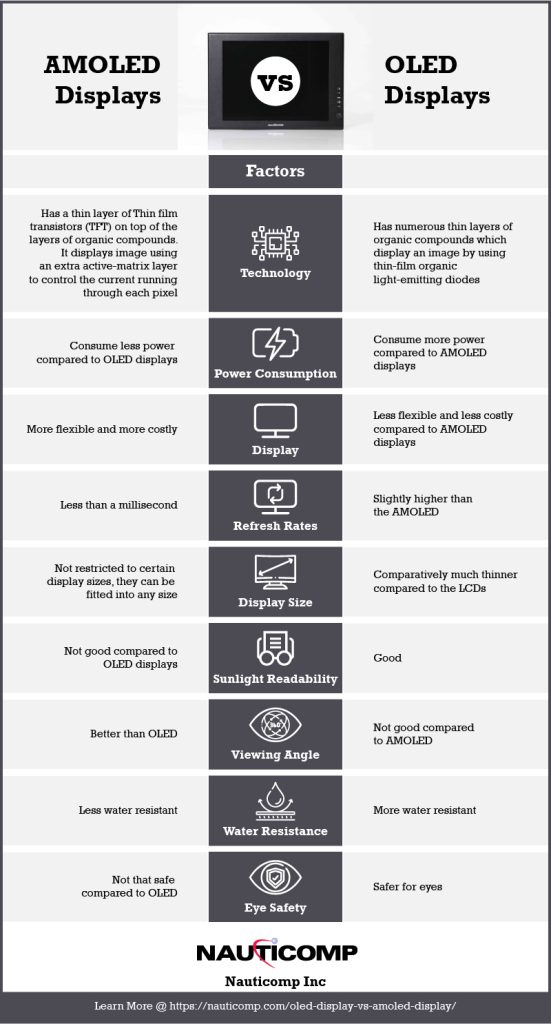
AMOLED vs OLED Displays

OLED and AMOLED displays are very similar, but there are a few key differences.

  • Technology Used:

    The fundamental structure of OLED and AMOLED is different. OLED has numerous thin layers of organic compounds, whereas AMOLED includes a thin layer of transistors on top of the layers of organic compounds. OLEDs display an image by using thin-film organic light-emitting diodes, while AMOLED displays use an extra active-matrix layer to control the current running through each pixel.

  • Power Consumption:

    AMOLED displays typically consume less power than OLED displays. This is due to the fact that each pixel in an AMOLED has its own transistor and capacitor, allowing for more efficient power usage. By using an AMOLED, the user saves money on device operating costs.

  • Display:

    Unlike LCD panels which have a backlight that is always on, OLED displays are “off” by default unless each pixel is electrified. This enables much deeper blacks. AMOLED displays do not perform as well in direct sunlight when compared to other types of displays. The exceptional picture quality of AMOLED displays is due to the TFT backplane technology.

  • Contrast Ratio:

    The contrast ratio of an OLED display is excellent since it has a high degree of pixel control. AMOLEDs have faster refresh rates than regular OLEDs, providing a great artificial contrast ratio. This is because each pixel on an AMOLED display emits light, resulting in a crisper image.

  • Sunlight Readability:

    AMOLED displays cannot be read as quickly in direct sunlight when compared to LCDs and OLEDs.

  • Viewing Angle:

    The viewing angle of an AMOLED display is slightly better than that of an OLED display.

  • Display Size:

    Both OLED and AMOLED provide more efficient and bright displays as these are comparatively thinner compared to the LCDs. AMOLED displays are not restricted to certain display sizes like OLEDs, so they can be fitted into any size. AMOLED panels, on the other hand, can support any display size and can produce a faster refresh rate even at a large size.

  • Display Cost:

    AMOLED displays are more expensive to manufacture compared to OLED displays.

  • Water Resistance:

    OLED panels are more water resistant since there is no risk of damaging the backlight.

  • Eye Safety:

    Because OLED panels do not use a backlight, they are considered to be safer for your eyes compared to AMOLEDs.

Which Display Is Better for You?

Now that we know the key differences between OLED and AMOLED displays, it’s time to decide which one is better for you.

While both OLED and AMOLED technologies have many similarities, AMOLED has several significant advantages over its OLED counterpart. Many of the top smartphone companies use AMOLEDs in their products because they are more flexible than other types of OLED devices. While AMOLED devices cost more to produce than OLED displays, but the image quality is generally better, and they consume less power.

That said, if you’re looking to buy a monitor that will last you longer, an OLED display would be a better choice since it won’t wear down as quickly.

Both OLED and AMOLED displays have their unique advantages and disadvantages. It really depends on your needs as to which display is better for you.

Contact Nauticomp Inc. for AMOLED and OLED Displays

Nauticomp Inc. provides world-class fully customizable touchscreen displays for commercial and industrial settings. With features like sunlight readability, brightness adjustability, infrared lighting, full backlighting, all-weather capabilities, etc., our displays are second to none. Contact us today to learn more. 

Optical Bonding Options for Rugged Touchscreen LCD Displays

Posted on: August 10, 2022

Digital SignageTouchscreen displays are becoming more and more common in both personal and business settings. They offer a level of convenience and interactivity that is hard to beat. However, touchscreen displays can be fragile and are susceptible to damage from drops or scratches.

One way to protect against this type of damage is to use an optical bonding process to attach the touchscreen LCD to a protective glass panel. This article will explore the different options for optical bonding and discuss the benefits and drawbacks of each option.

What Is LCD Optical Bonding?

LCD optical bonding is a process in which the LCD and a protective glass panel are bonded together using an optically clear adhesive. This process can be used to protect the LCD display from damage due to drops, scratches, or other types of impacts. 

When a regular display is utilized in an outdoor setting, several variables influence its readability. The most typical is condensation, or fog, which forms on the inner surface of the display’s shield. The reflection of sunlight also plays a factor, often resulting in a mirror image on the display. However, both these problems can be eliminated by using optical bonding.

Types of Optical Bonding

There are a few different types of optical bonding for LCD displays, including:

  • Optical Clear Adhesive (OCA) Lamination:

    Optical clear adhesive is a type of UV-curable glue that is used to bond the LCD and the glass panel together. Once the adhesive cures, it is optically clear and allows light to pass through it without distortion. This type of optical bonding is typically used in displays that will be exposed to harsh environments, as it provides the highest level of protection against damage.

  • Air Gap Bonding:

    The air gap filling or bonding process is accomplished by first cleaning the inside surfaces of the LCD and the glass panel. A UV-curable adhesive is then dispensed onto one of the surfaces, and the two surfaces are brought together. The adhesive is cured using UV light, and the air gap is filled with an optically clear resin. This type of optical bonding provides a medium level of protection against damage.

  • Liquid Optical Bonding:

    The liquid bonding process is similar to the air gap bonding process, but instead of using a UV-curable adhesive, a liquid optically clear adhesive is used. This adhesive is dispensed onto one of the surfaces, and the two surfaces are brought together. The adhesive cures over time, and the liquid optically clear adhesive helps to fill any air gaps. This type of optical bonding provides a lower level of protection against damage, as the liquid adhesive is not as durable as a UV-curable adhesive.

  • Optical Clear Film Lamination:

    Optical clear film lamination is a process in which an optically clear film is used to bond the LCD and the glass panel together. This type of optical bonding provides a medium level of protection against damage, as the optically clear film helps to absorb shock.

  • Liquid Optical Clear Adhesive (LOCA) Bonding:

    The LOCA bonding process is similar to the liquid bonding process, but instead of using a liquid optically clear adhesive, a UV-curable adhesive is used. LOCA is utilized in touch panels and display devices.

  • Dry Optical Bonding:

    Dry Optical Bonding uses heat and pressure to attach the touch panel directly to the LCD. This process makes for a more durable and scratch-resistant product. However, it is important to note that this type of optical bonding can only be done if the materials being bonded have a similar coefficient of thermal expansion.

Which Industries Is Optical Bonding Best Suited?

Optical bonding is suitable for a wide range of industries, including:

Advantages of Optical Bonding for Touchscreen LCD Displays

There are many advantages to using optical bonding, including:

  • Improved durability
  • Improved readability
  • Reduced reflection
  • Reduced condensation
  • Increased sunlight-readable display performance
  • Improved touchscreen sensitivity
  • Protection from environmental damage
  • Increased contrast ratio

Contact Nauticomp to Learn More About Touchscreen LCD Displays

Nauticomp Inc. specializes in the design and manufacture of high-quality, sunlight-readable, fully ruggedized, and waterproof LCD displays, computers, and components for a variety of industries and applications. We offer both standard and custom solutions to meet the specific needs of our customers. Our products are designed to withstand the harshest environments. Contact us today to learn more. 
Trends Driving Growth in the Military Rugged Display Industry

Posted on: July 27, 2022

Centric Series Displays

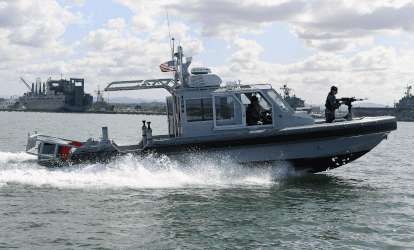
The military rugged display industry is expected to experience significant growth in the next few years. This can be attributed to a number of factors, including the increasing demand for rugged displays in military applications as well as its growing popularity in non-military industries.

The military rugged display market is anticipated to develop from $1.69 billion in 2021 to $2.68 billion by 2028. In this blog post, we will take a closer look at some of the trends that are driving the growth of this industry and discuss how they are expected to impact its growth positively.

The Increasing Need for Rugged Displays in Military Applications

Increased military spending is propelling the market growth, especially in the APAC region. Military rugged display sales are poised to rise as defense ministries across the world invest in cutting-edge technologies such as tough gadgets and vehicles to upgrade their military capabilities.

In 2021, the military rugged display market was dominated by vehicle-mounted computers. The military sector will continue to buy modern vehicle-mounted ruggedized displays and tracking software that is designed to assist soldiers in accessing combat-related information from their vehicles and tracking their forces.

The Trend Towards Miniaturization

Military rugged displays are becoming smaller and more compact, making them easier to carry and deploy in the field. This trend is being driven by the need for lighter and more portable displays that can be used in a variety of military and non-military applications.

The Growing Popularity of Military Rugged Displays

Military rugged displays offer a number of advantages over traditional displays, including better durability, higher contrast ratios, and wider viewing angles. As a result, they are becoming increasingly popular among non-military users, such as first responders and construction workers.

The growing demand for rugged displays from industries such as healthcare, transportation, retail, and agriculture is propelling the market expansion. Military rugged displays are also being increasingly used in the automotive industry, as they offer superior durability and performance in harsh environments.

This is expected to continue in the years to come as more and more users become aware of their benefits.

The Advancements of Military Rugged Display Technology

Military rugged displays are constantly evolving, with new advancements being made in areas such as resolution, brightness, and contrast ratio. This is making them more capable than ever before and opening up new possibilities for their use in a variety of applications.

Manufacturers of rugged military displays are also developing versions with enhanced impact and moisture resistance, as well as temperature range and low power requirements. In addition, smart technological advancements, such as the integration of human-machine interface (HMI) and the Internet of Things (IoT) with rugged displays are fuelling the growth further.

All of these trends are expected to have a positive impact on the military rugged display industry and contribute to its growth in the years to come. So, if you are involved in this industry, make sure to stay ahead of the curve and keep an eye out for these trends!

Contact Nauticomp to Get More Information on Military Rugged Displays

Nauticomp Inc. has been a leading provider of military rugged displays for over 25 years. Our products are engineered to meet the most demanding military specifications and standards. We offer a wide range of military rugged displays, from sunlight-readable displays to fully ruggedized multi-touch computers. Contact us today to learn more about our military rugged displays and how we can help you meet your specific needs.